Getting started with Outlook plugin and add-in
The Matrx for Outlook add-in allows you to manage scheduling within the Outlook web and desktop apps. The add-in can be deployed and configured by Outlook admins and, once installed by users, it allows you to schedule a Matrx meeting with one click while creating calendar events.
Prerequisites for Microsoft Outlook plugin
- WindowsOS:
- Microsoft Outlook 2013 or higher, or Outlook as part of Microsoft Office 365, Windows 7 or above*
- Browser: IE11, Microsoft *Edge,*Chrome, Firefox
- macOS:
- Microsoft Outlook 2013 or higher, macOS X v10.10 "Yosemite" or above*
- Browser: Safari, Chrome, Firefox
- You must have the Matrx client installed and be logged in to your account
- Install the Matrx for Outlook add-in.
Office 365 admin installs add-in for all users
1.Sign in to the Office 365 Admin Portal.
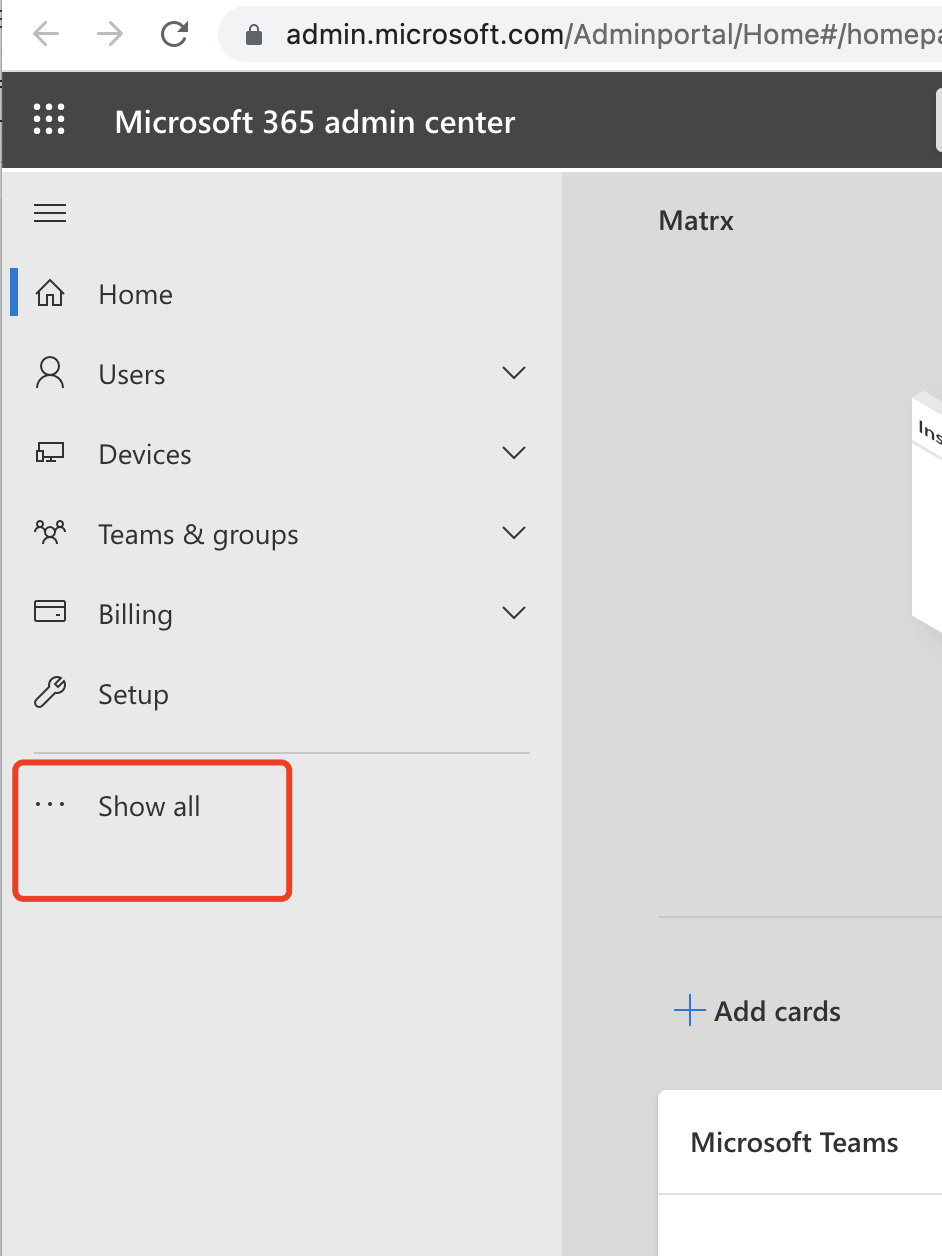
Open Url: Microsoft 2. In the navigation menu on the left, click Show All
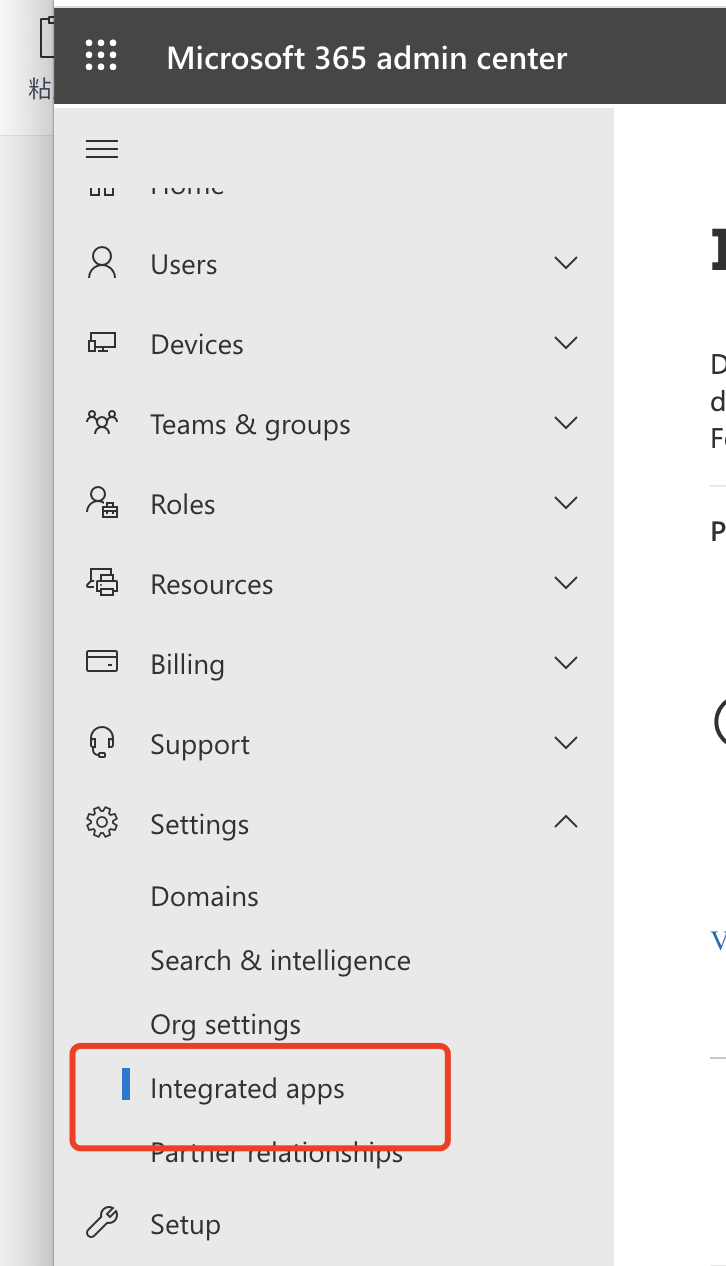
- Find the settings and click Intergrated apps.
4. Click Get apps.
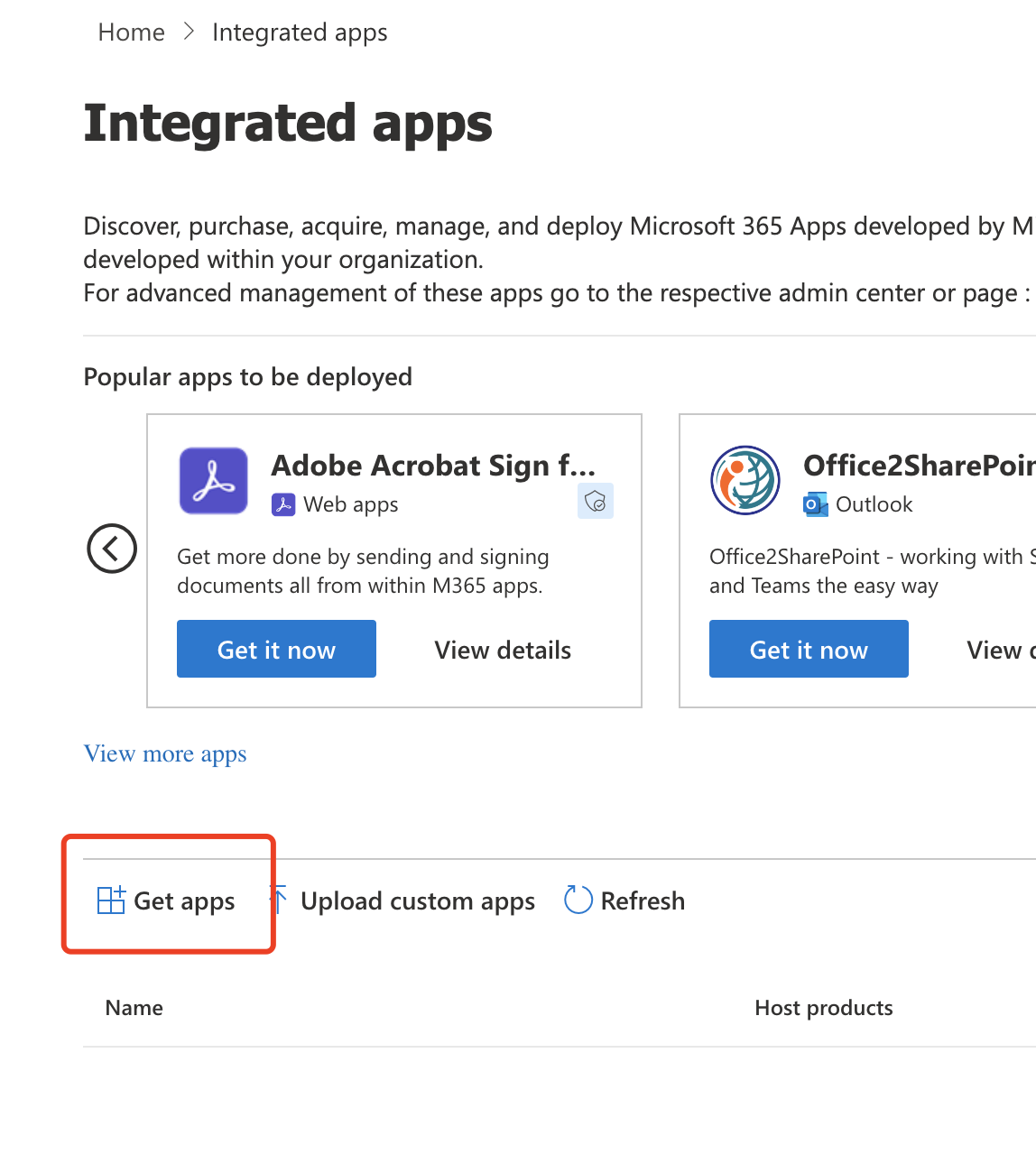
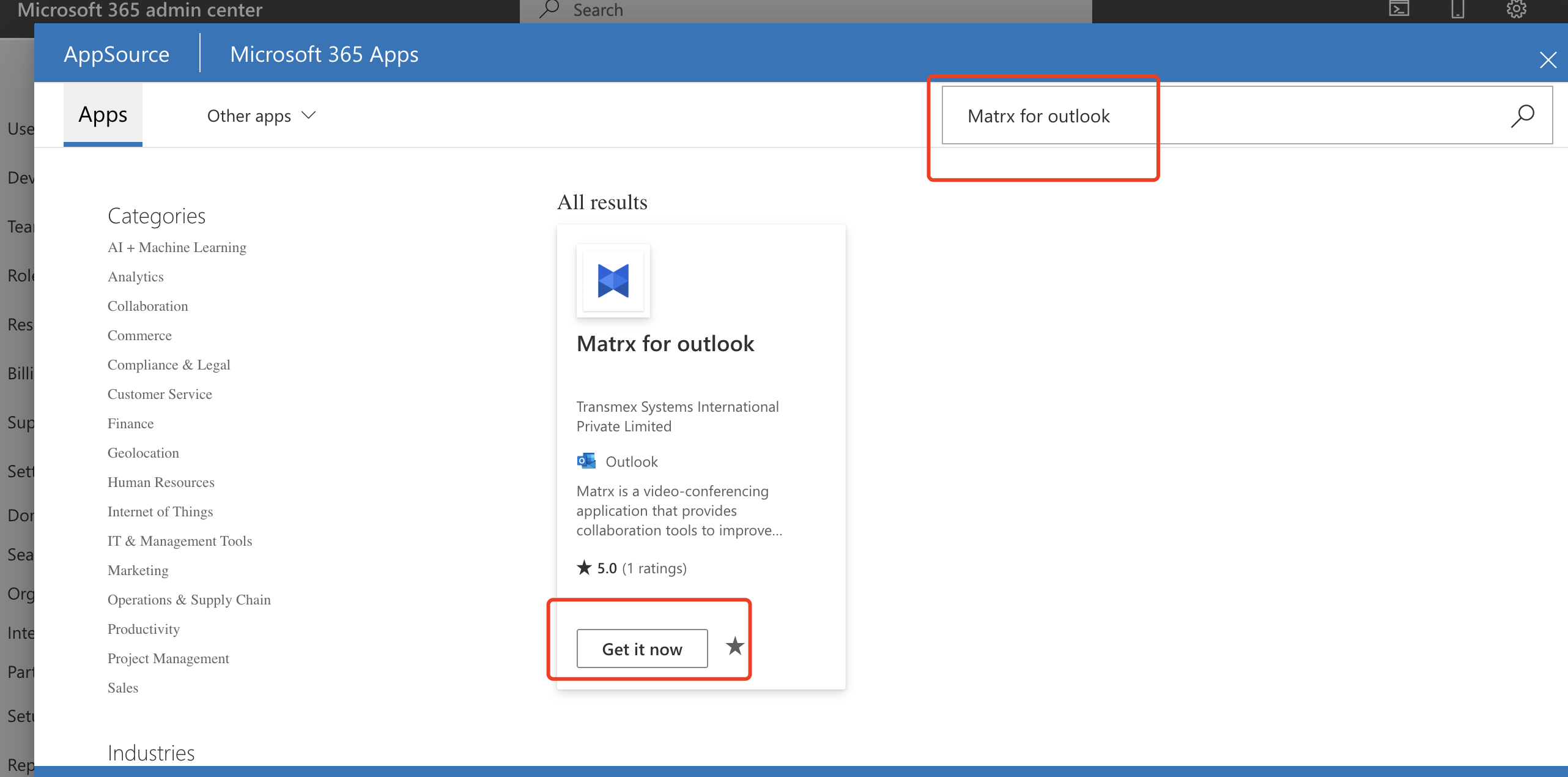
5. Search for Matrx for Outlook, then click Get it now.
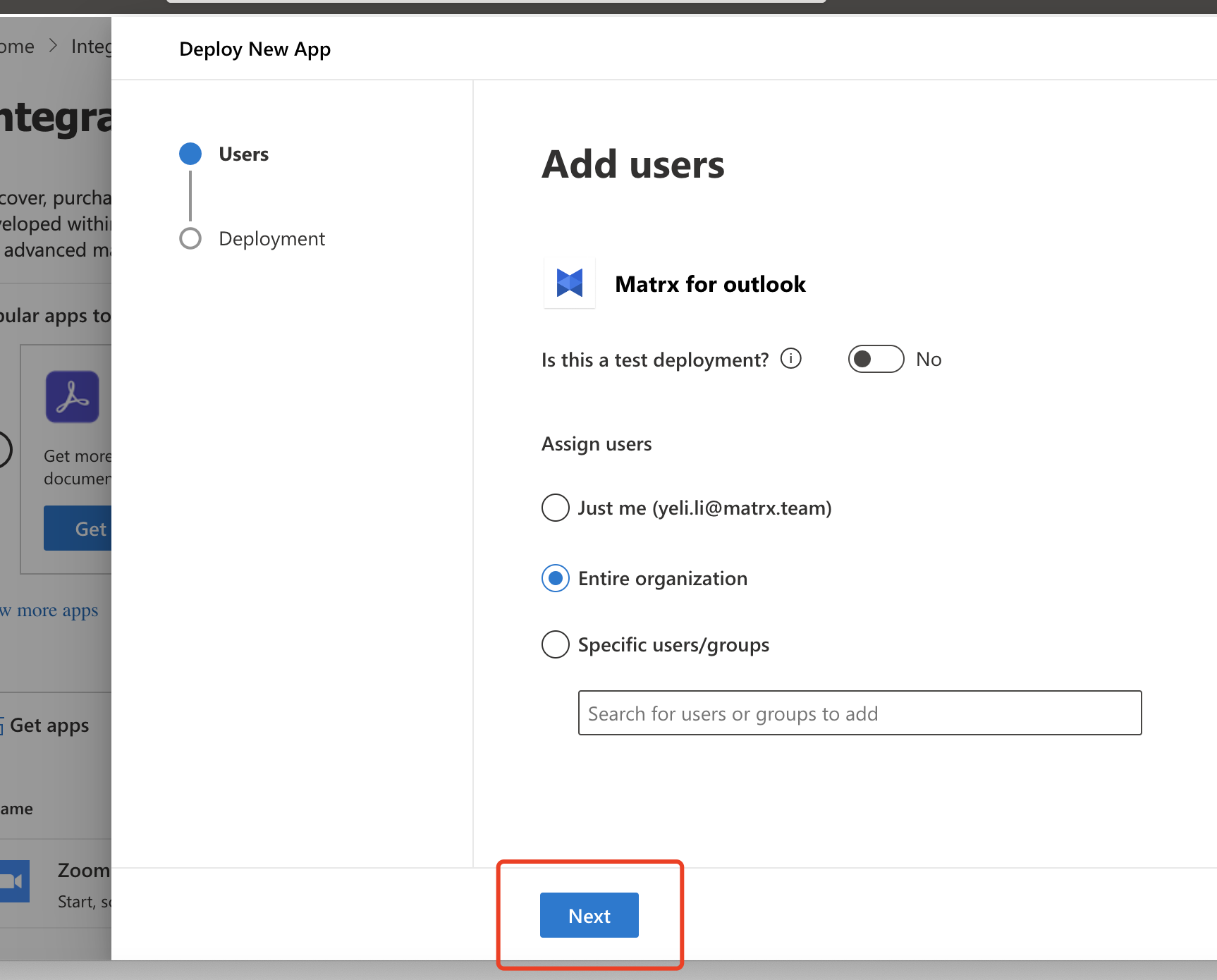
6. Select the user scope to be authorized and click Next.
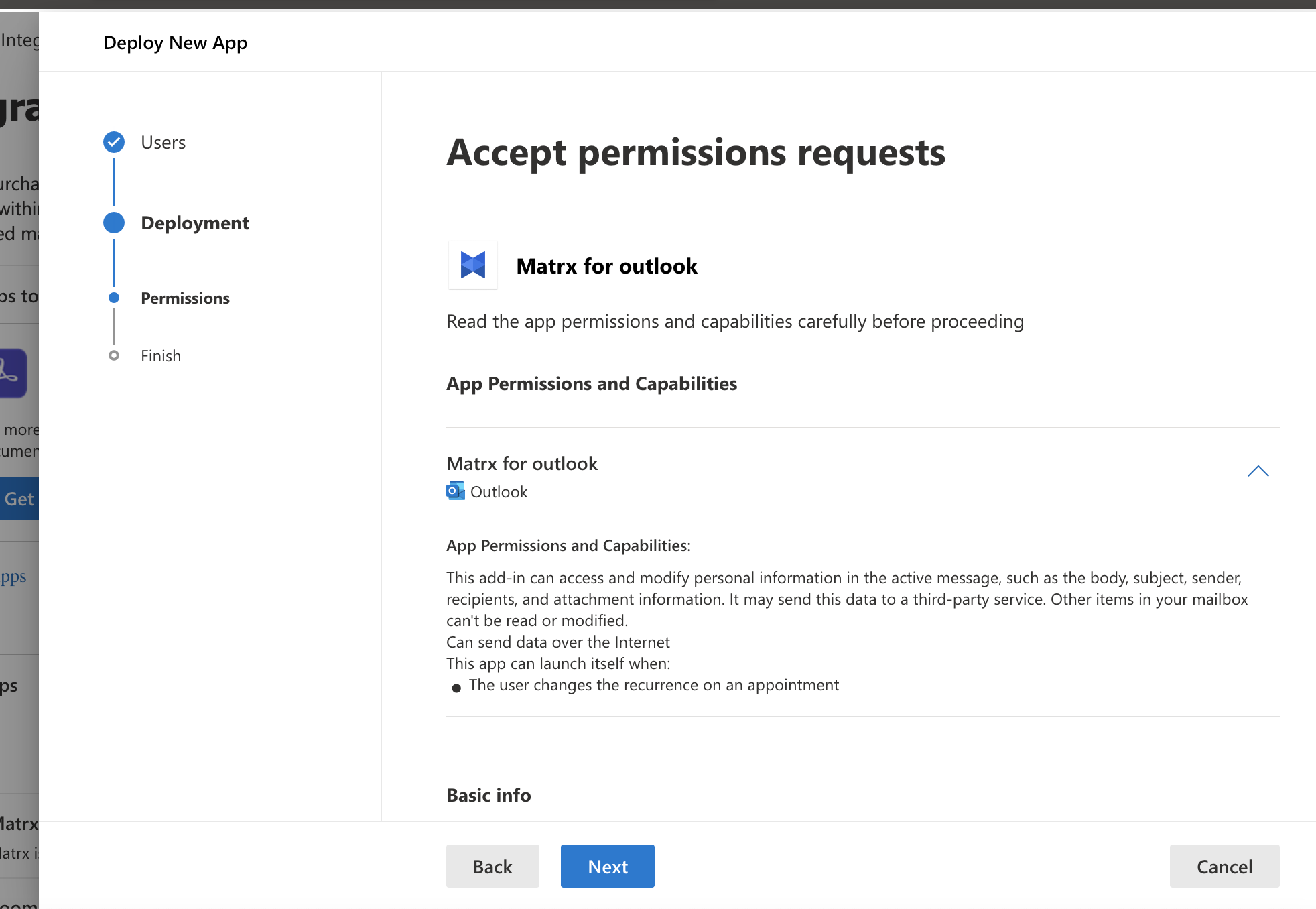
7. Review the add-in details and accept permissions requests, click Next.
- Review and finish deployment, click Finish deployment to complete the installation.
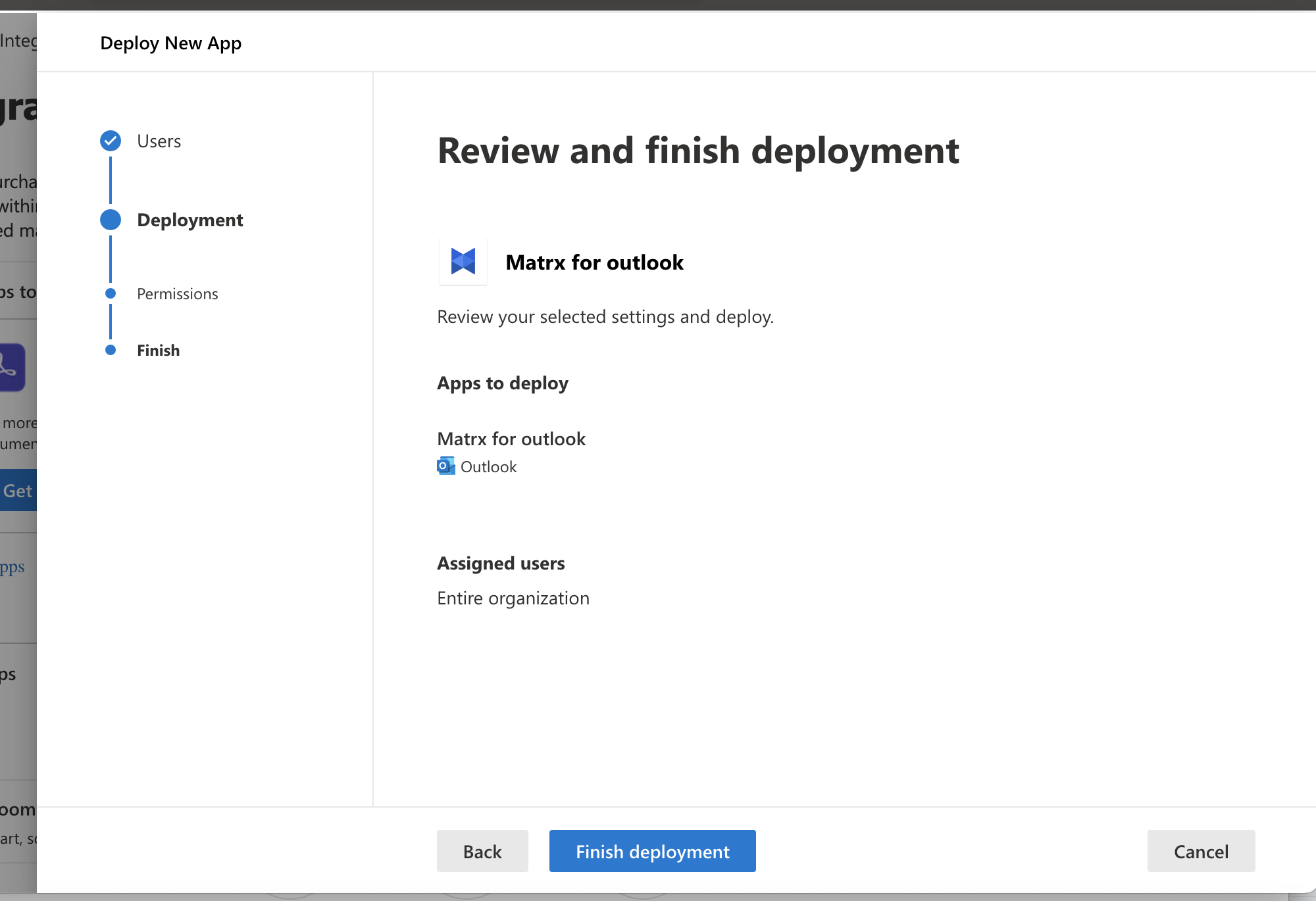
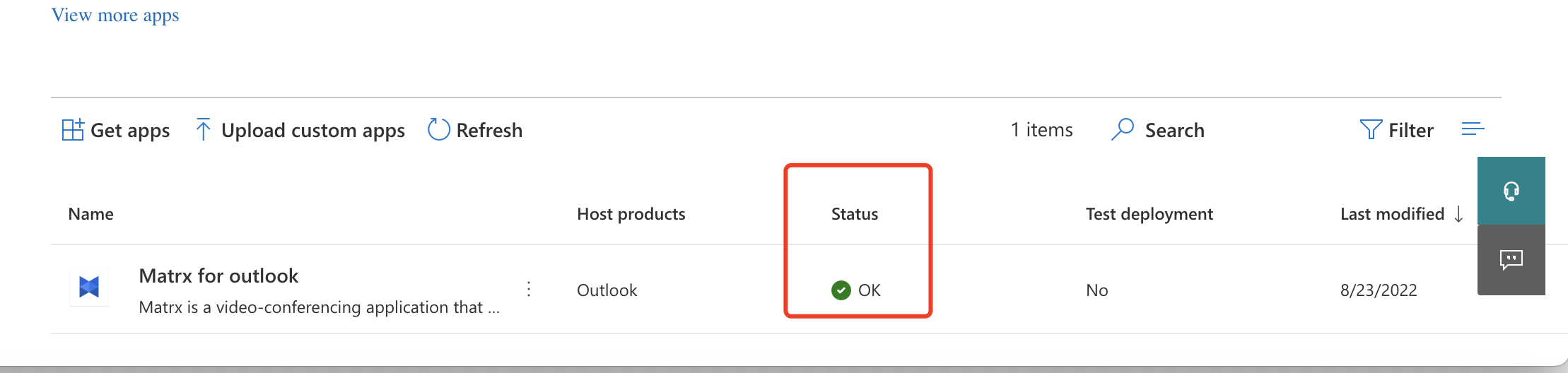
- The installation will last for 1 to 2 minutes, when the status is ok, it means that it can be used.