1 Check the sending and reading status of messages
1.Function Introduction
Matrx supports checking the message reading status, so you can know in real time whether the other party has read the message you sent.
2.Operation process
2.1 Check whether the message has been read
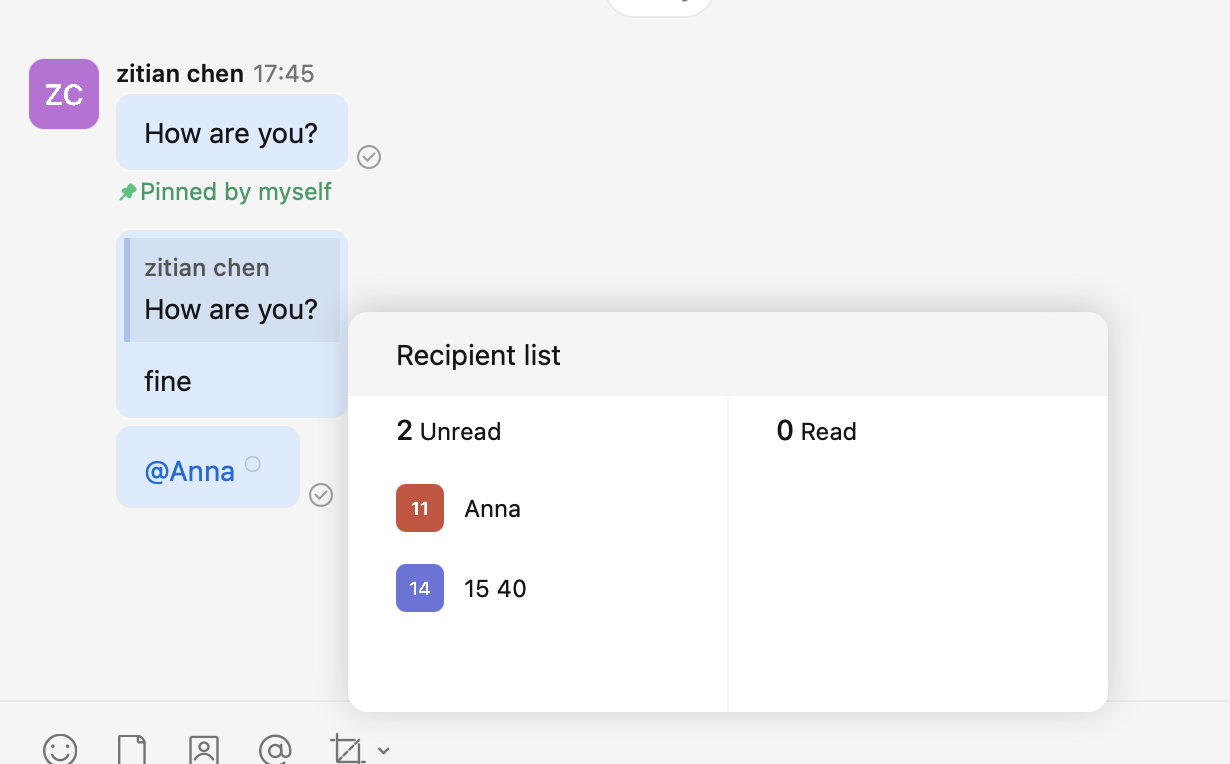
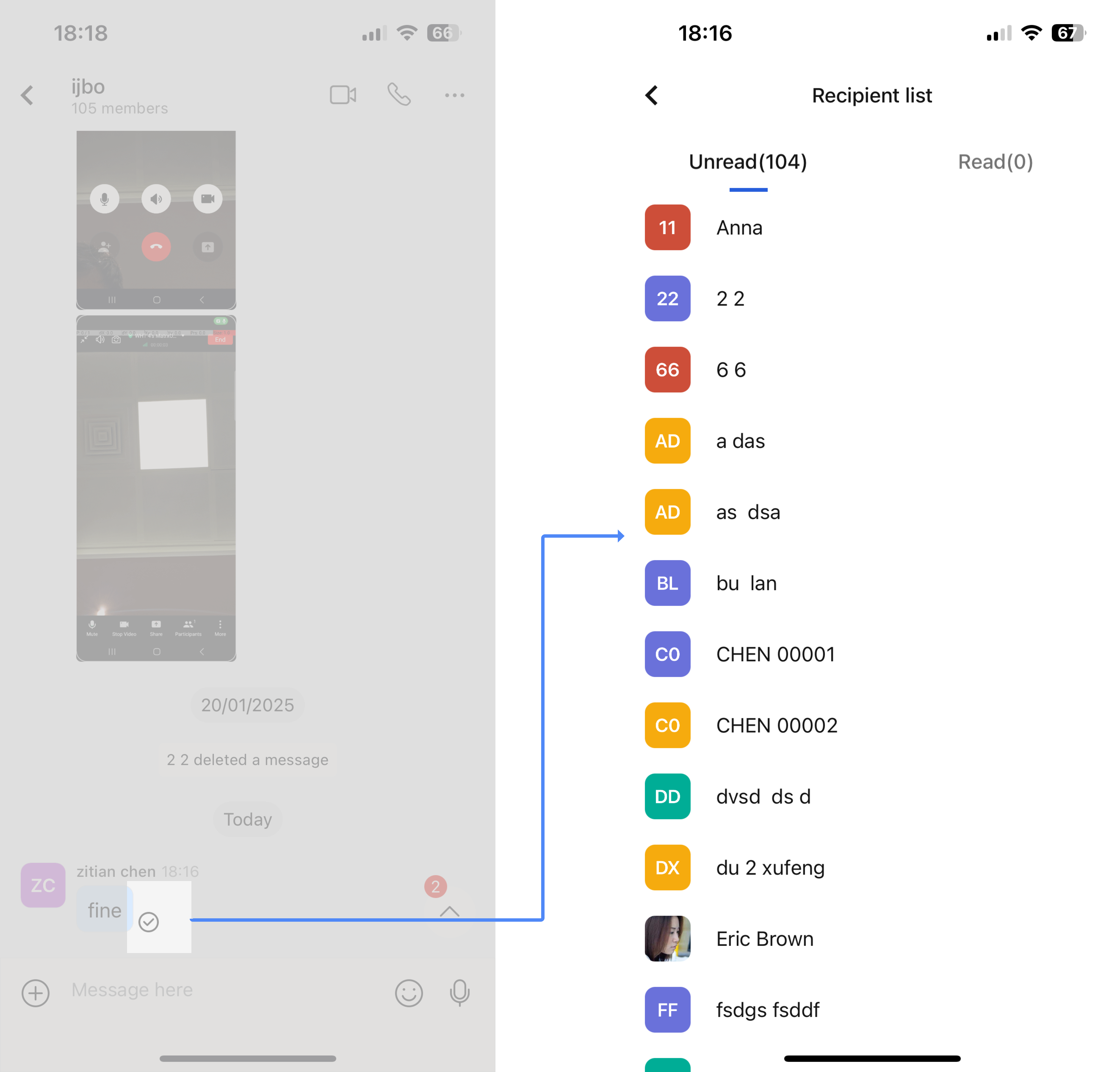
There will be a ring icon on the right side of the message you sent. If the ring turns blue, it means that everyone has read the message. If part of it has been read, the ring is gray. Click the ring icon to view the specific users who have read and unread the message.
- Desktop
- Mobile
3.Q&A
Q: How to determine whether a message is unread or failed to be sent?
A: If a red exclamation mark is displayed next to the message you sent, it means that the message failed to be sent. If a gray circle is displayed after the message, the message has been successfully sent but the recipient has not read it.
Q: How can a new message be considered read?
A: You need to enter the conversation interface to view the latest message content to consider the message as read; only viewing the preview of the new message will not show the message as read.