Reply to a specific single message
1.Function introduction
You can reply to a specific message and associate the reply with the context.
- Desktop
- Mobile
2.Operation steps
2.1 Reply to a specific message
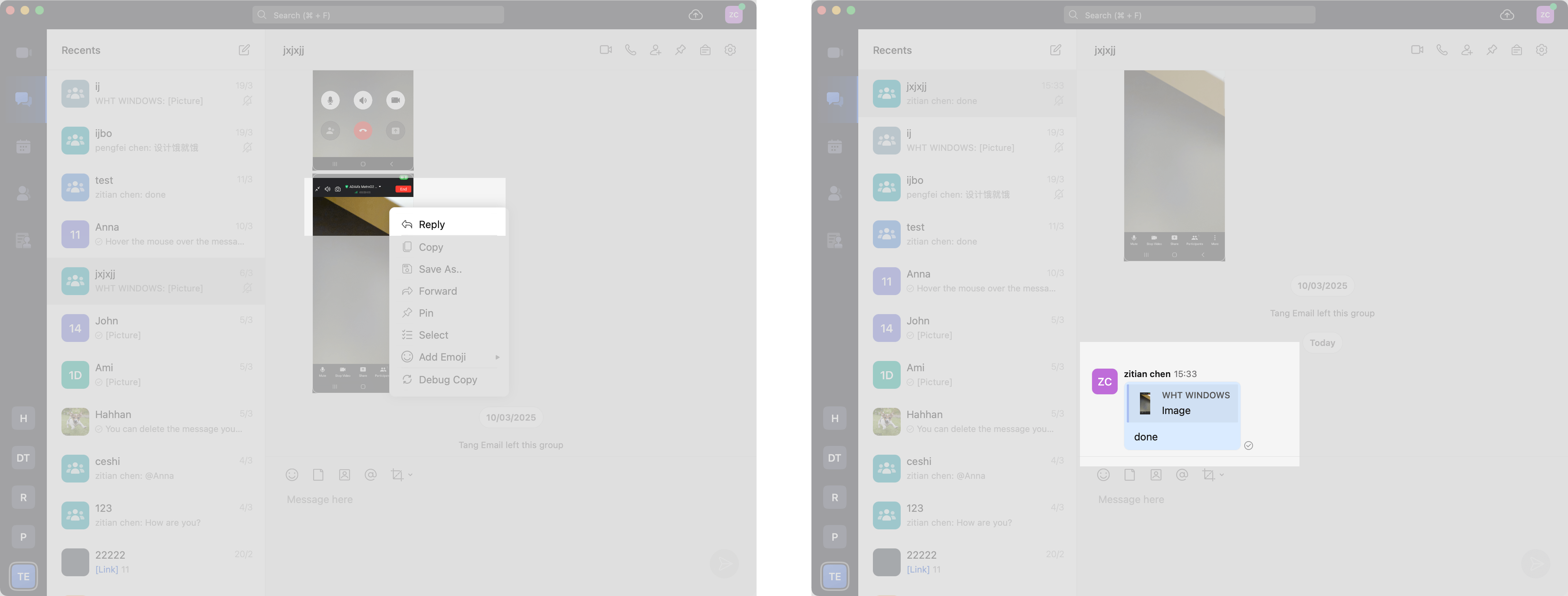
Right-click the message you want to reply to, click Reply in the message menu on the right, and then write the reply content in the message input box.
2.2 View the original content of the reply
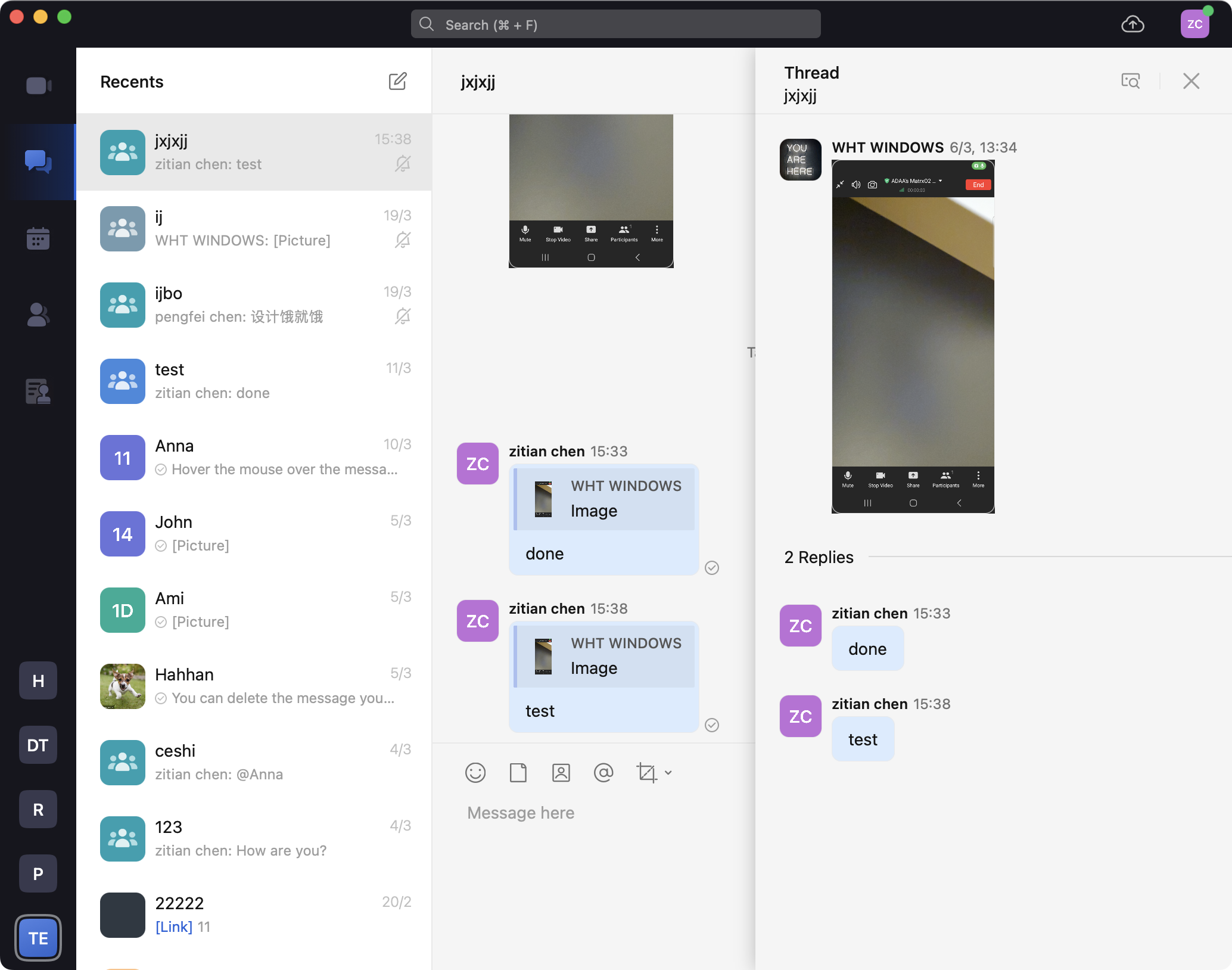
Click on the original content of the reply, and the reply details page will pop up on the right side of the conversation interface, showing all the replies under the message in the order of reply.
2.Operation steps
2.1 Reply to a specific message
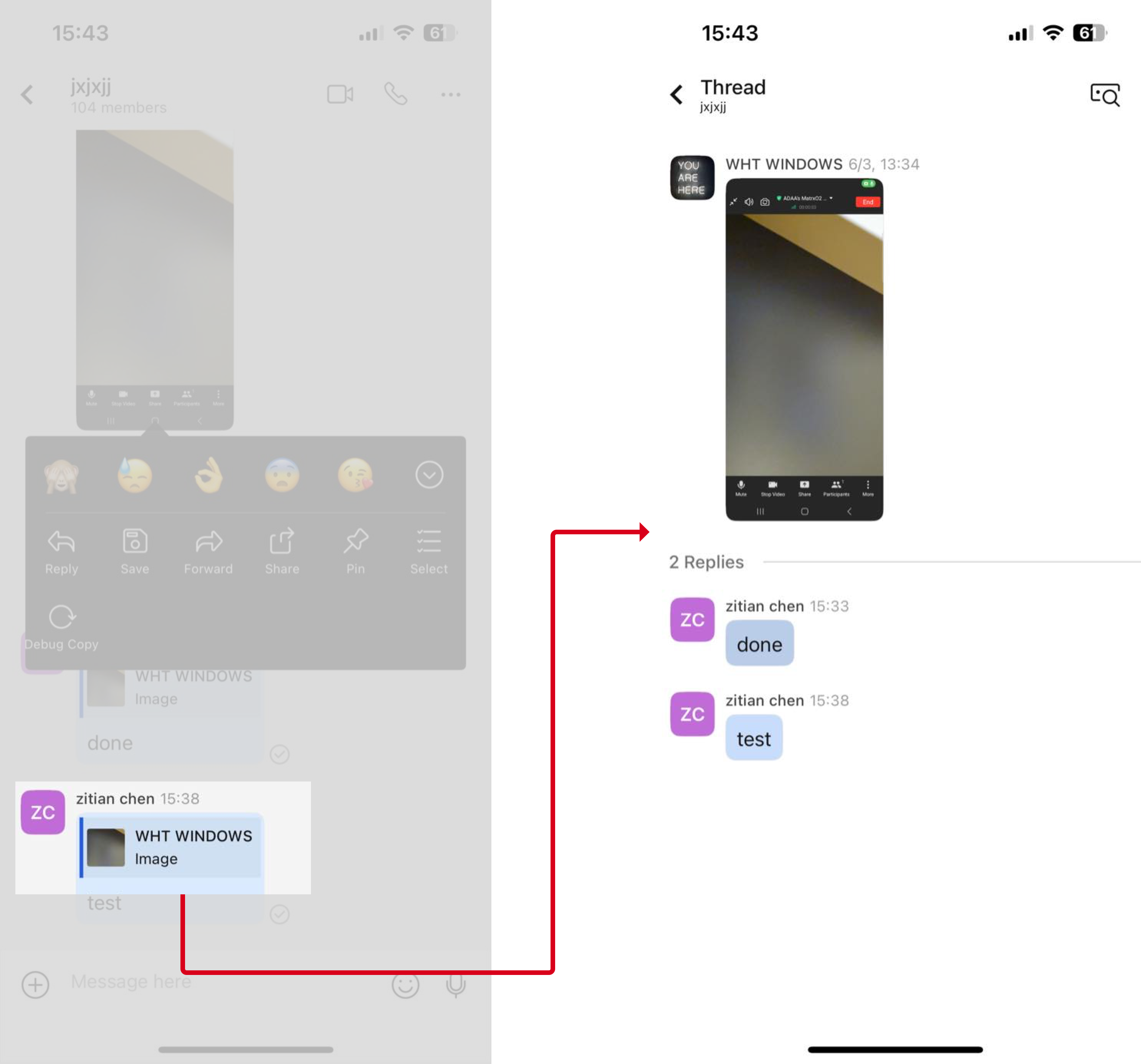
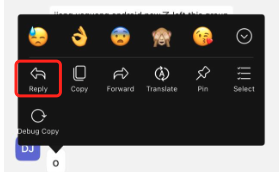
Press and hold the message you want to reply, click Reply, write the reply content in the input field and click Send.
2.2 View the reply content
Click the original content of the reply to jump to the details page, which displays all replies to the message in the order of reply.