AI Message Translator
1. Introduction
If you need to communicate with someone who speaks another language, you can use the text translation function to translate the received text message into a language that you understand better.
Currently supports translation in 4 languages: Arabic, English, Russian, and Chinese
2. Set default target language
In the settings, you can set the default target language. After setting, all texts in non-target languages will be translated into the target language by default.
- 💻Desktop Users
- 📱Mobile Users
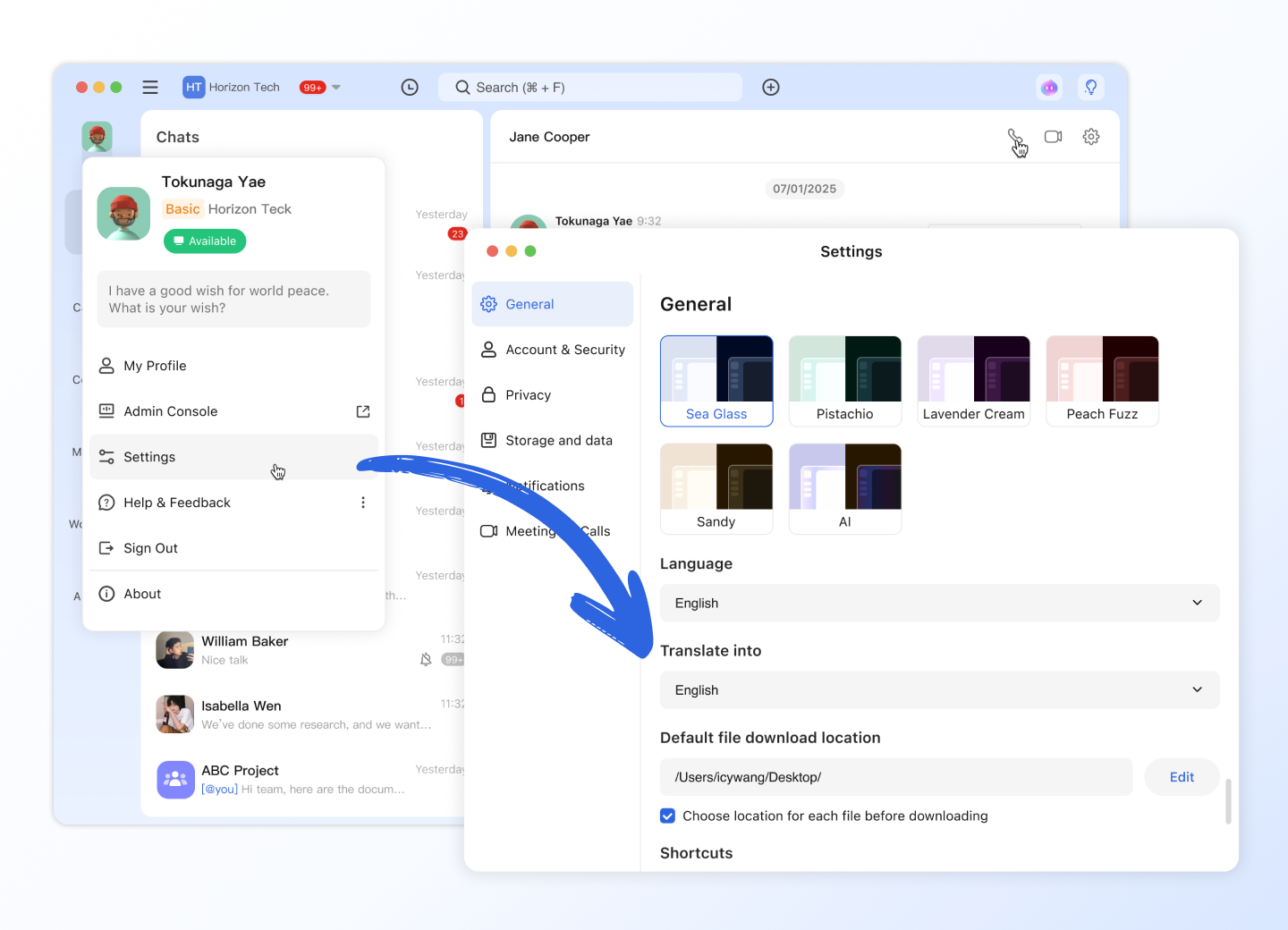
Click your profile photo and go to Settings > General > Translate into, select the default target language.
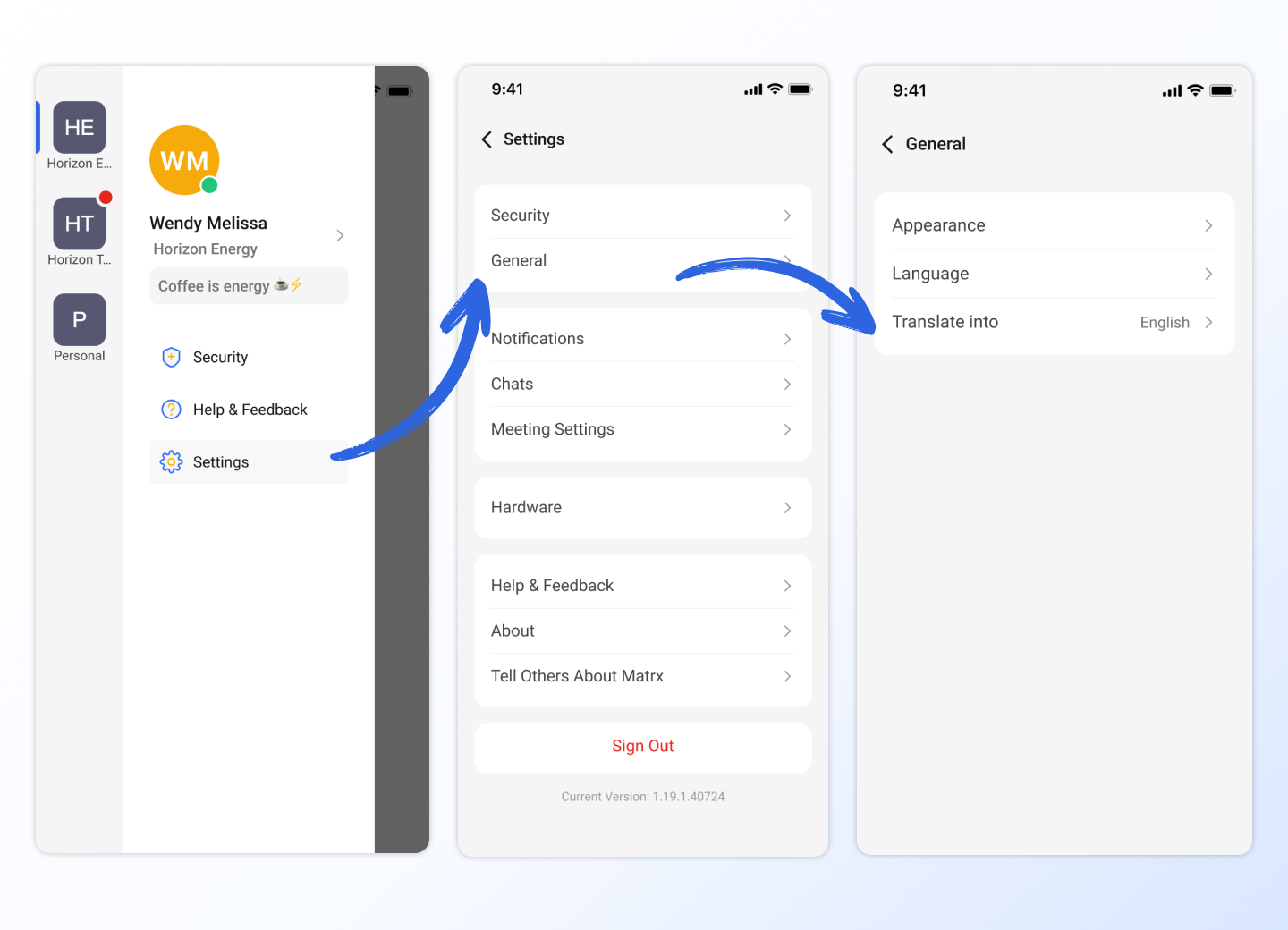
Tap your profile photo and go to Settings > General > Translate into, select the default target language.
3. Translate text messages
When you receive a text message, you can manually translate the text message into the target language.
- 💻Desktop Users
- 📱Mobile Users
In the message stream, right-click a text message and click Translate in the drop-down menu to translate the text message. If the translation is not in the language you want, you can switch the translation language in the lower right corner.
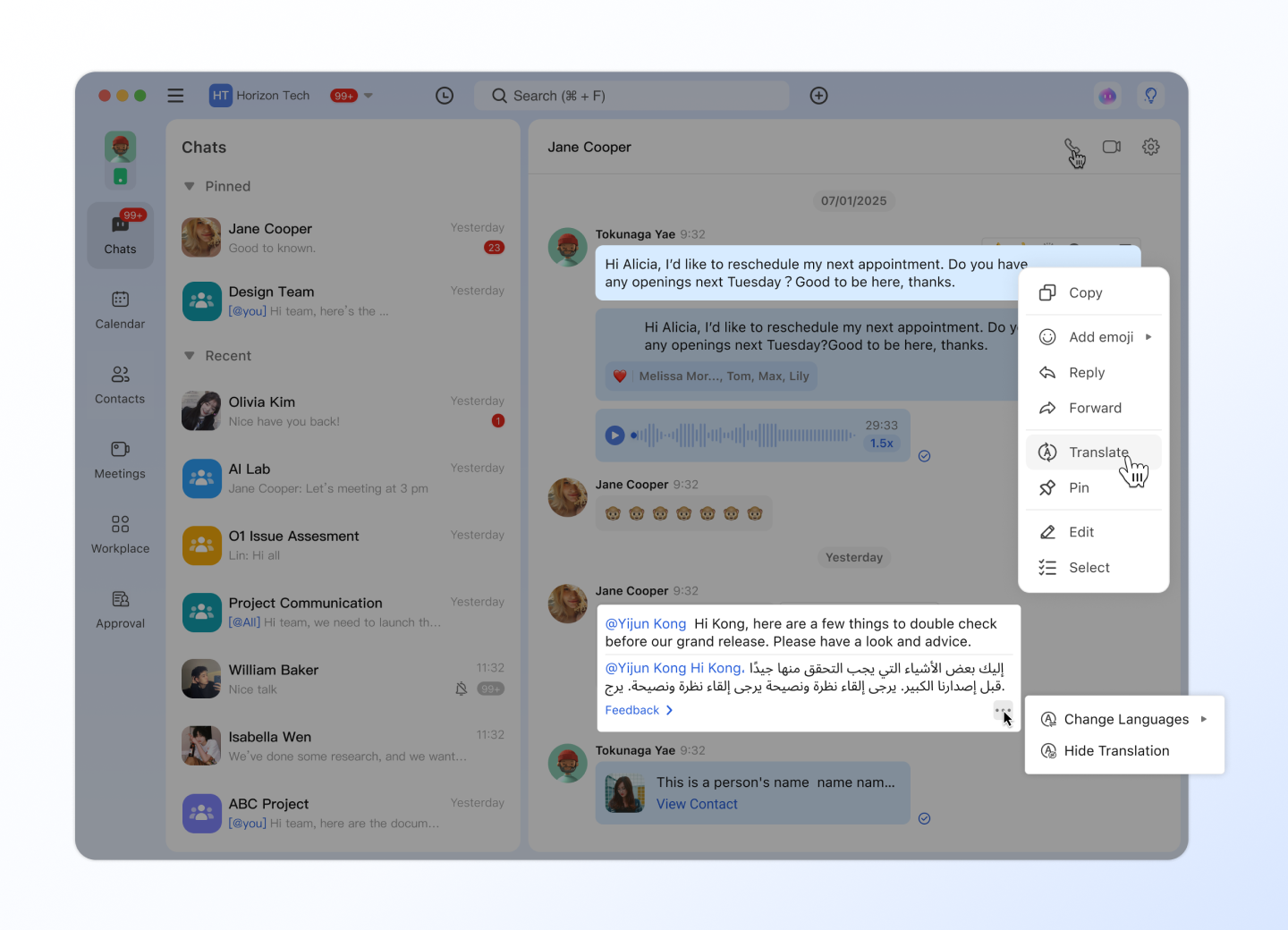
Click Feedback to provide feedback on our translations. Thanks for helping us improve!
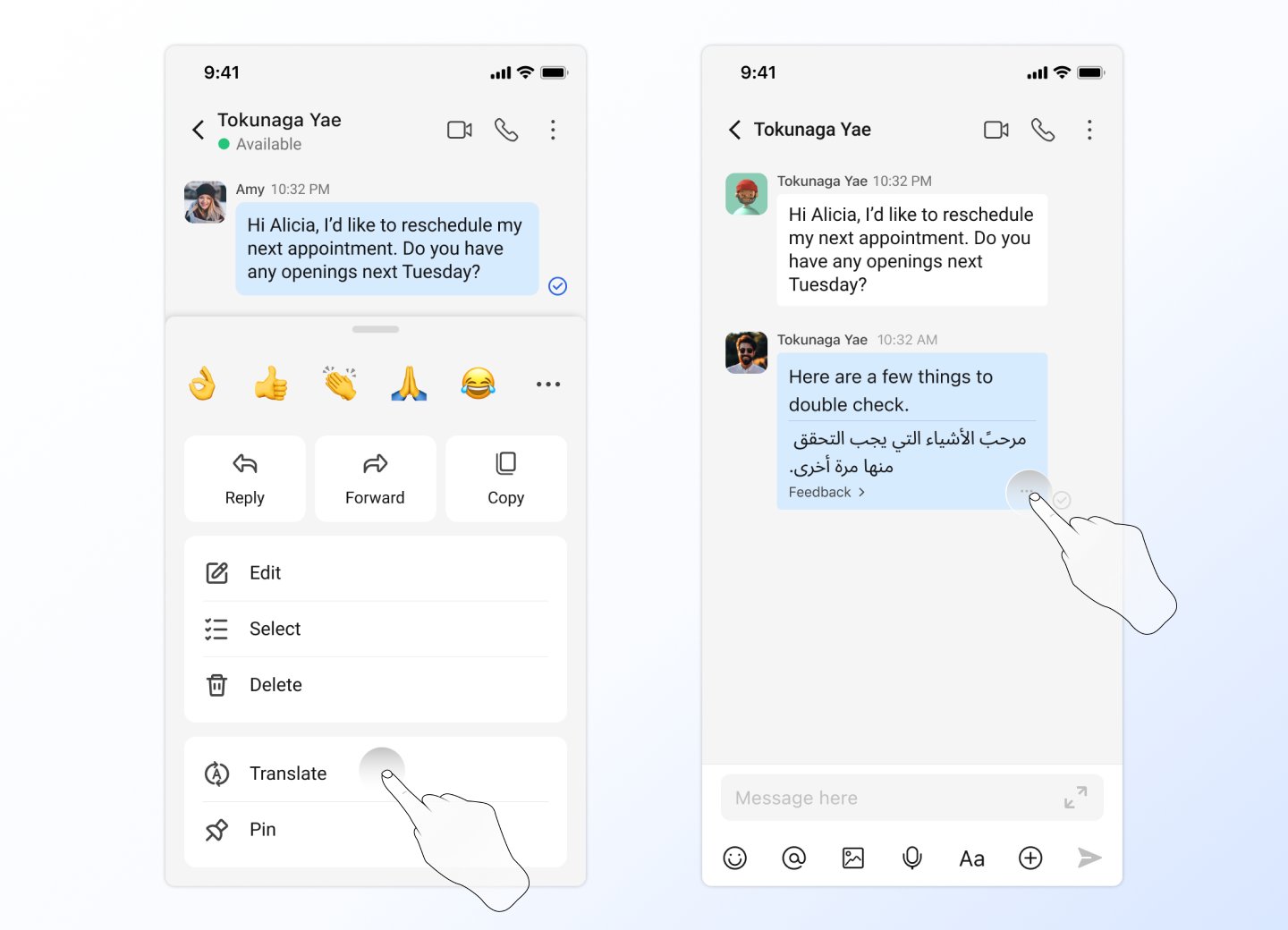
In the message stream, long press the message and click Translate to translate the text message. If the translation is not in the target language you want, you can switch the translation language in the lower right corner.
Click Feedback to provide feedback on our translations. Thanks for helping us improve!