Local recording
Local recording
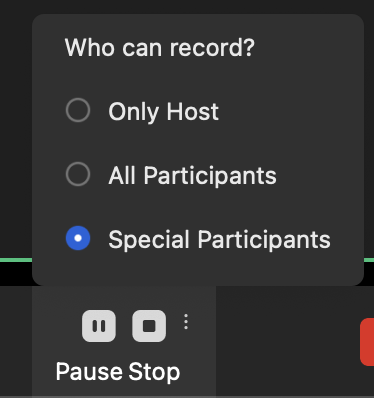
Participants can record the content of the meeting during the meeting and save it to the computer locally. Prerequisites Available on Windows and macOS clients Windows and macOS Recording Settings The recording feature is available to the host only by default and disabled to all other participants. However, the host can set the recording permissions and make the feature available to all participants or specific participants only.
- After joining the meeting, the host can click on ^ beside the Recording button, and change the setting.
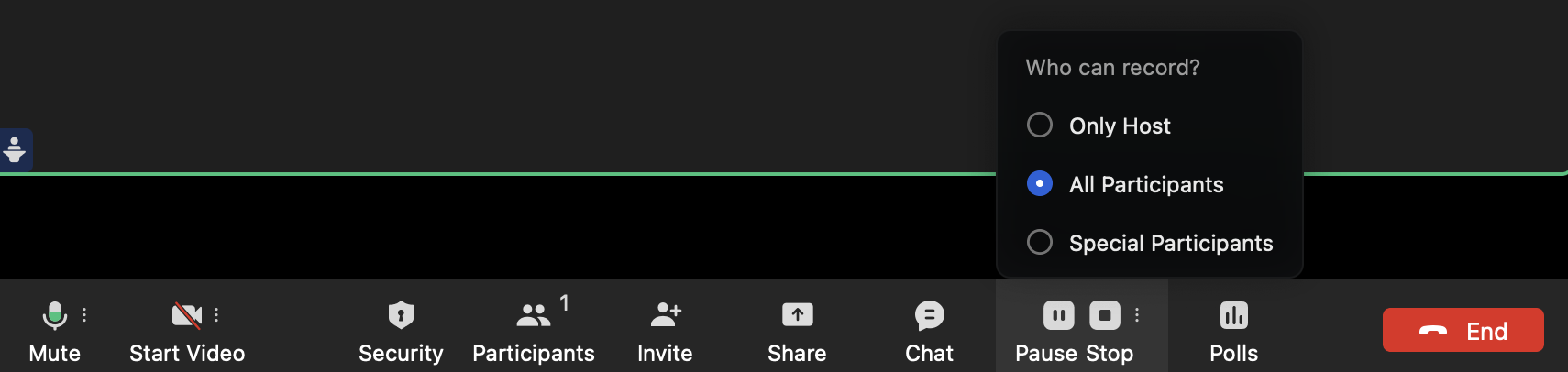
- When "All participants" is selected, the Recording button will be activated and all other participants in the meeting can click it on the toolbar to record the meeting. Suppose the host has set the designated person to record. In that case, the host can click "Allow recording" in the participant list to grant recording permissions.
- When "Specific participants only" is selected, the host can go to the Participants list, choose the participant, and click "Allow recording" to enable that participant to record in the meeting.
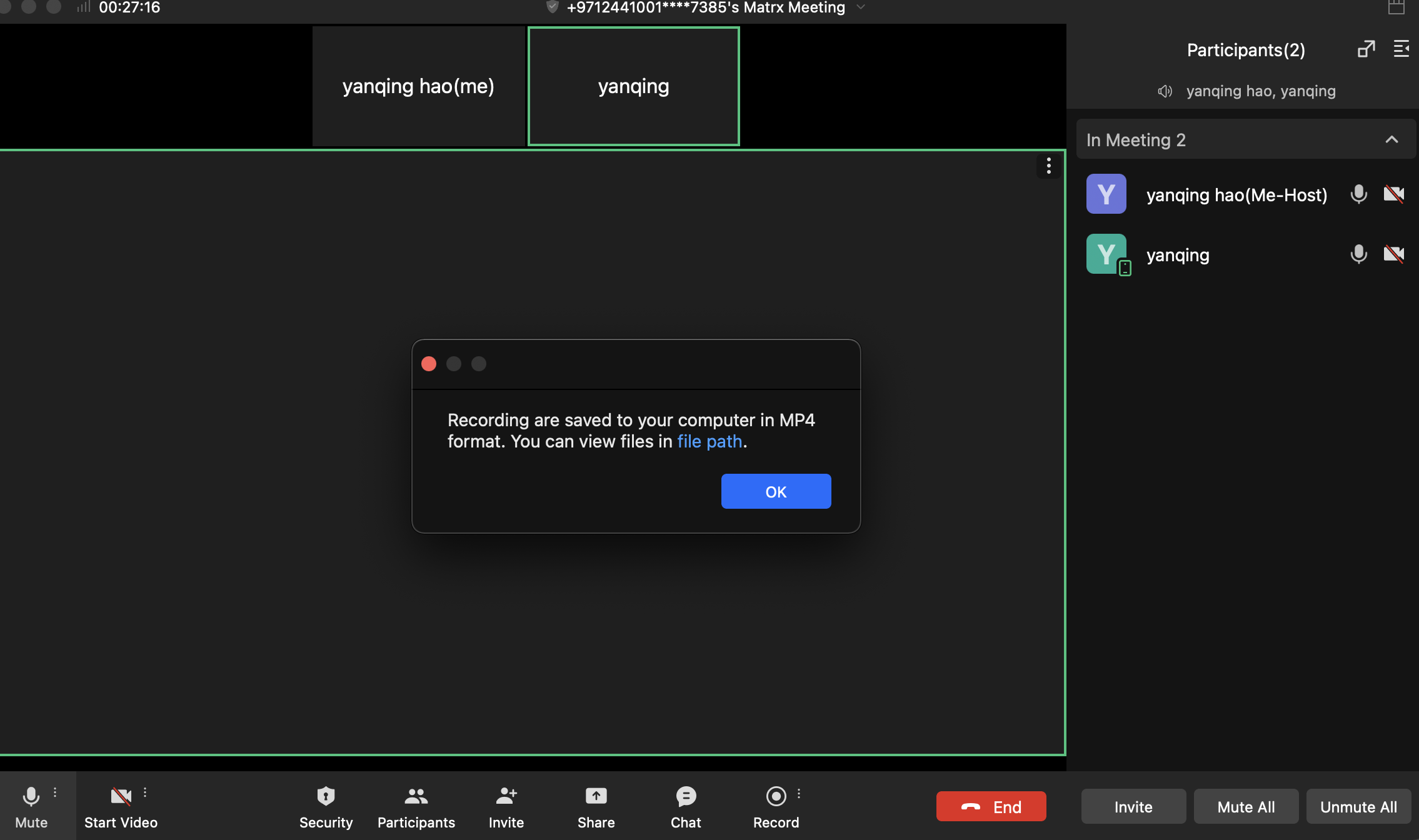
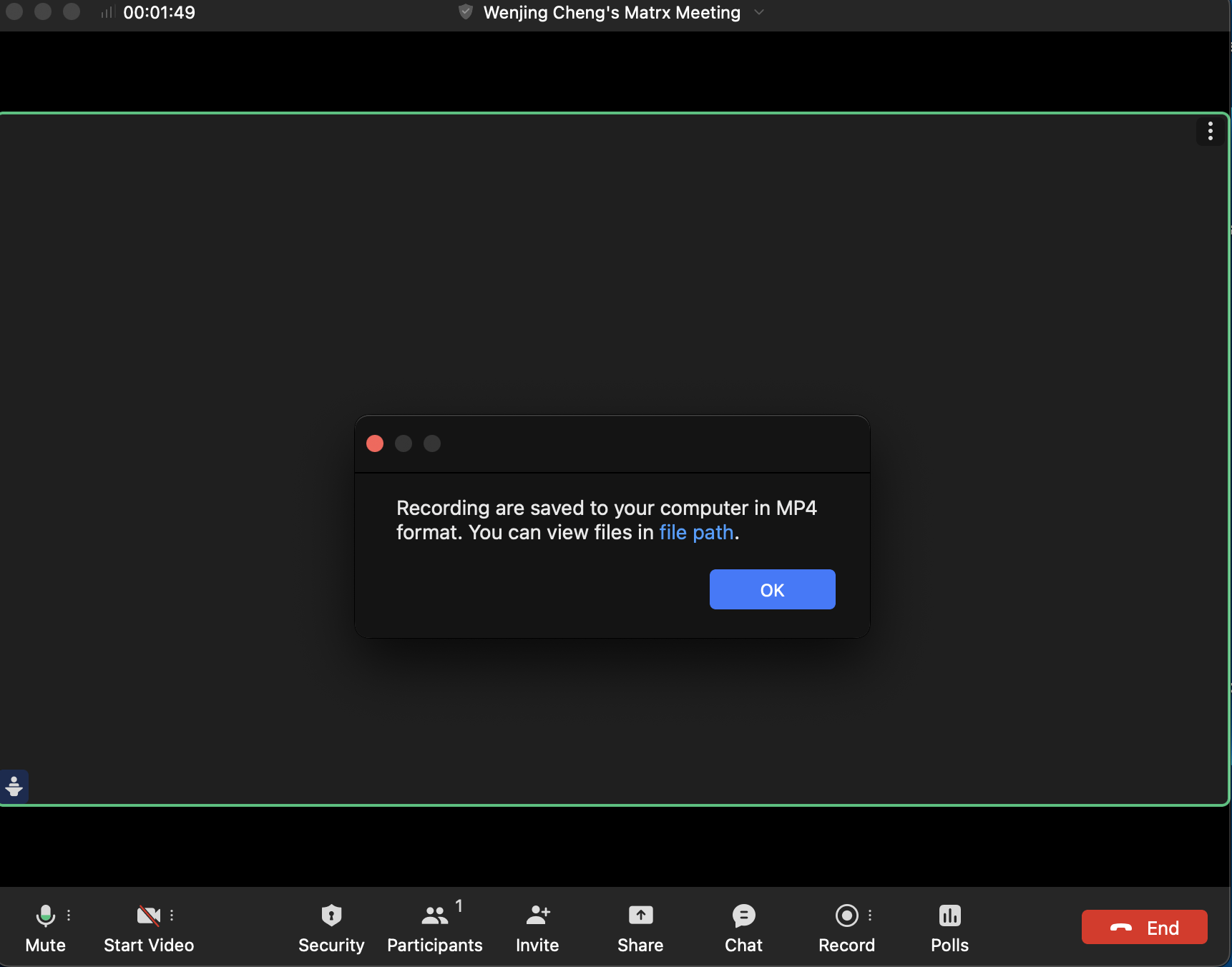
After the meeting ends, Or end recording, You will receive a pop-up prompt telling you where the recording is stored
 Recording in the meeting
In the meeting, the host or the participant who has the recording permission can start, pause, and end the recording.
1. By clicking the Recording button at the toolbar, the recording will start and the Recording button will turn to the Paused button.
Recording in the meeting
In the meeting, the host or the participant who has the recording permission can start, pause, and end the recording.
1. By clicking the Recording button at the toolbar, the recording will start and the Recording button will turn to the Paused button.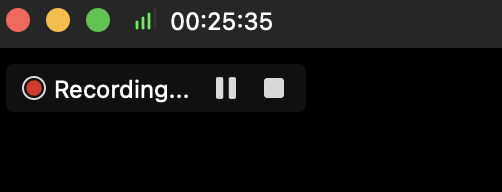
- Click the Paused button at the toolbar or the stop icon at the upper left corner to pause, and the Paused button will turn to the Resume button.


- Click the Resume button at the toolbar or the start icon at the upper left corner to resume the recording. You can also click the Stop recording button or the square icon at the upper left corner to end the recording.
 Saved Recording Files
After you end the recording or the meeting ends, you will receive a pop-up prompt telling you where the recording file is saved. Click "file path" and you can find the saved file right away.
Saved Recording Files
After you end the recording or the meeting ends, you will receive a pop-up prompt telling you where the recording file is saved. Click "file path" and you can find the saved file right away.