2 Approver understand the approval
- PC
- Mobile
1.Understand Approver
During the approval process, when an enterprise member submits an approval application, the approval application will be transferred to the corresponding approver according to the rules set by the enterprise, and the approver can process the approval application. Everyone can be an approver.
2.Approval processing entrance
You can enter the approval process through the following 2 entrances:
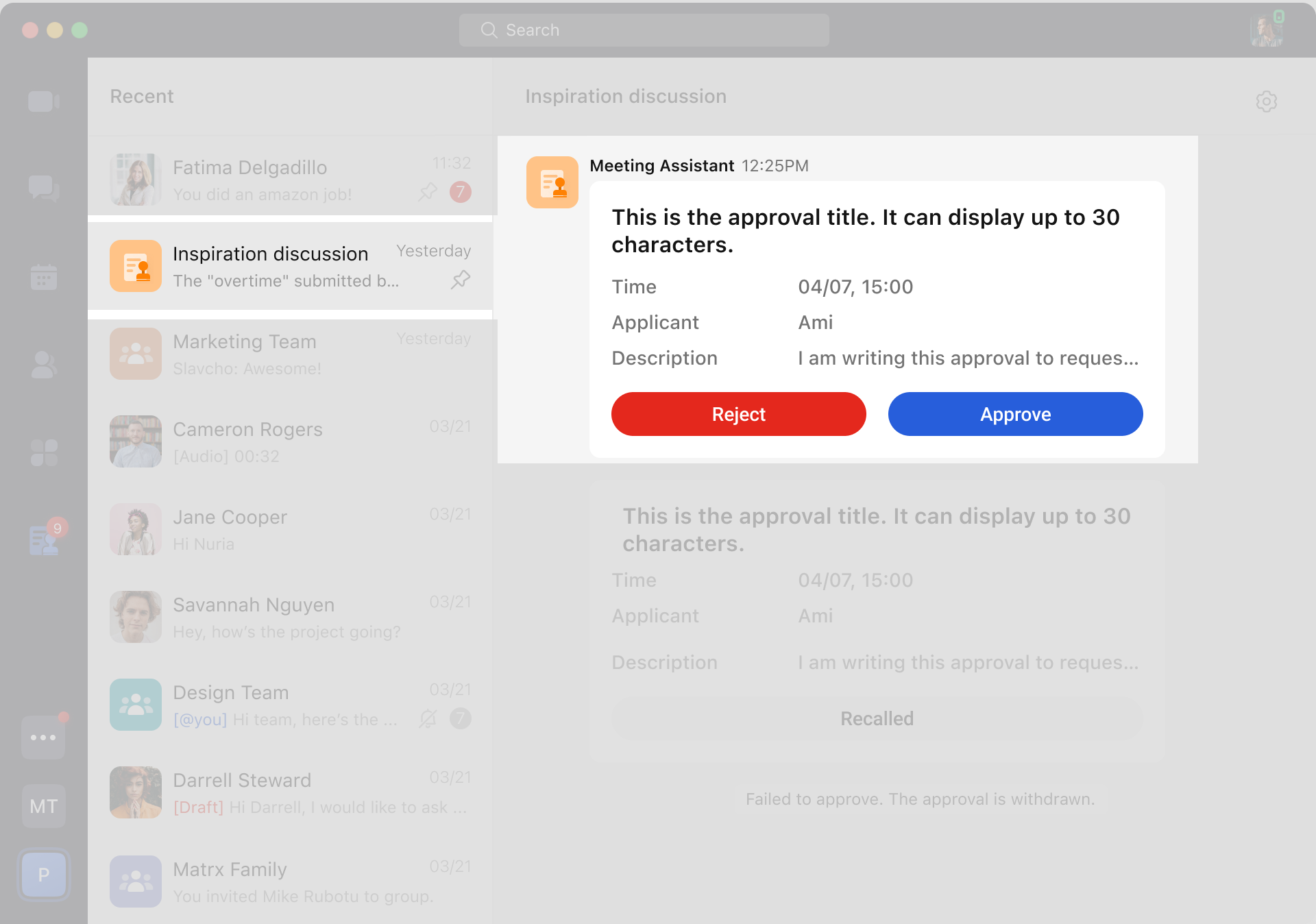
Entrance 1 Approval notification: When there is an approval that needs to be processed, the notification assistant will send you a message reminder. You can enter the process through the message card.
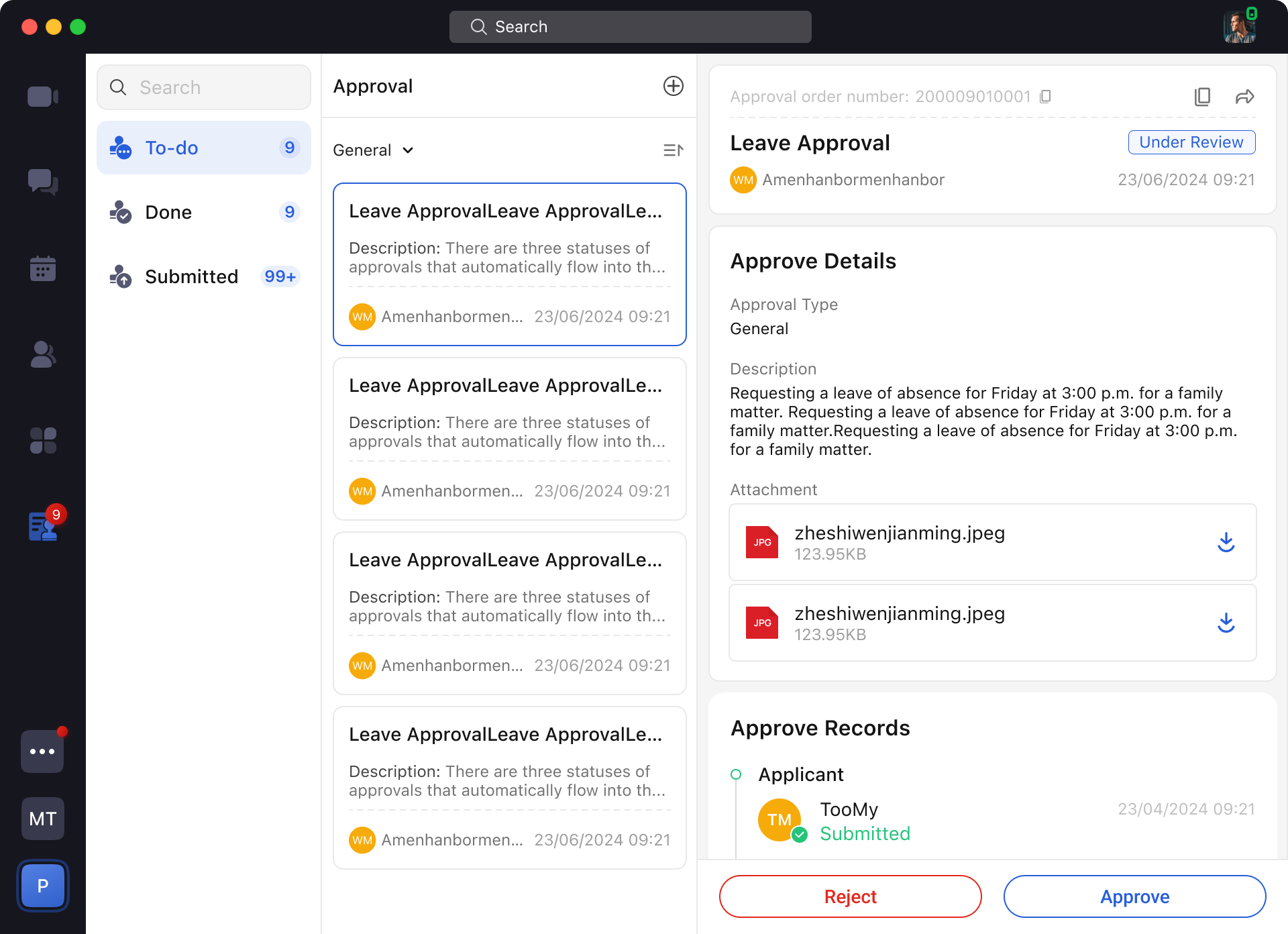
 Entrance 2 Approval application: Enter the Approval application > Approval Center page, in the To-do list, you can view the approvals that need to be processed and process them.
3.Complete the Approval process in two steps
3.1 Handle Approval
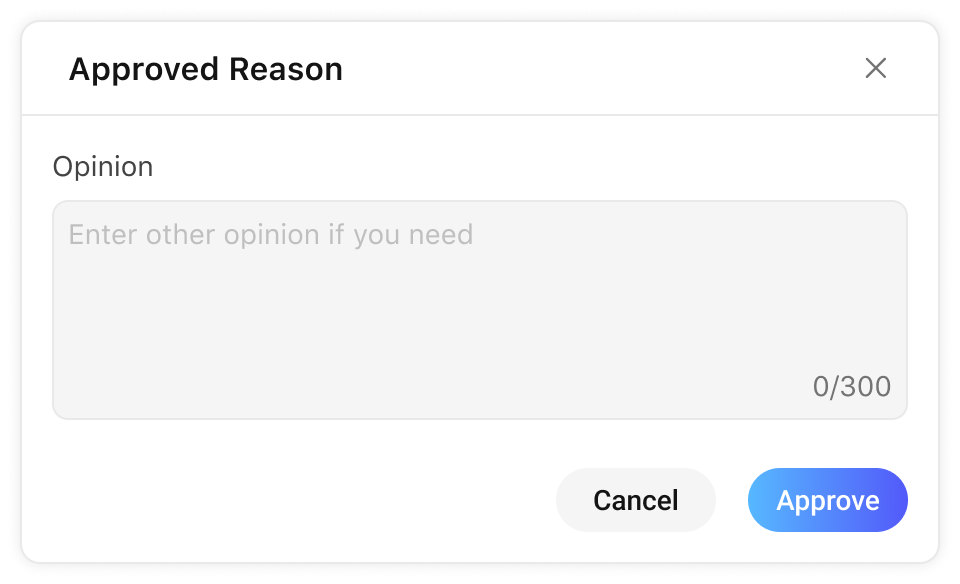
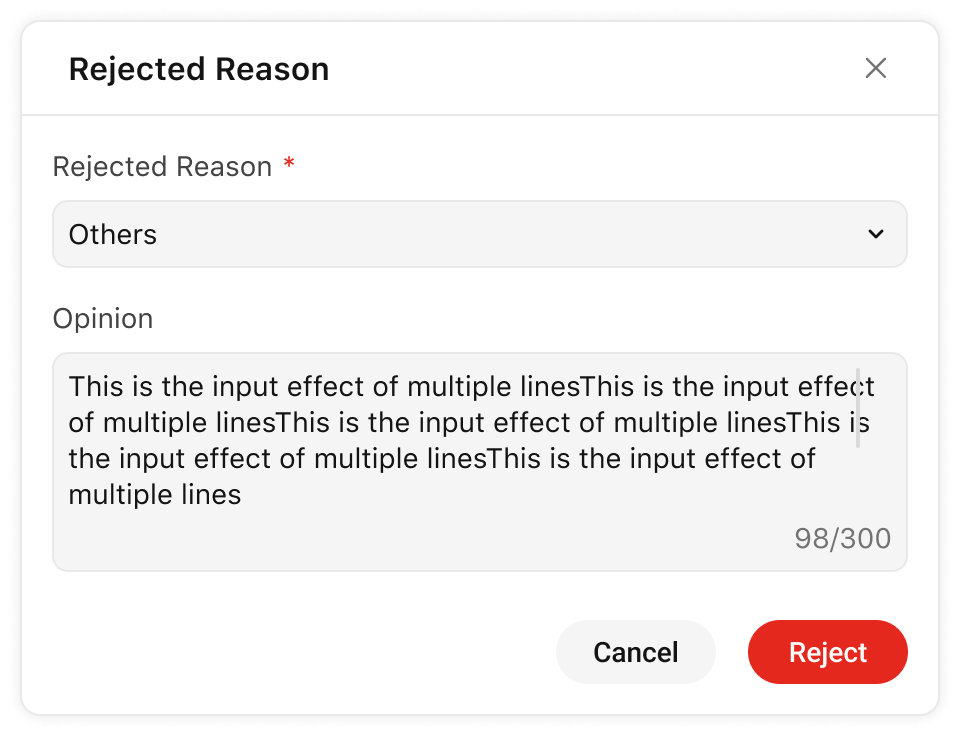
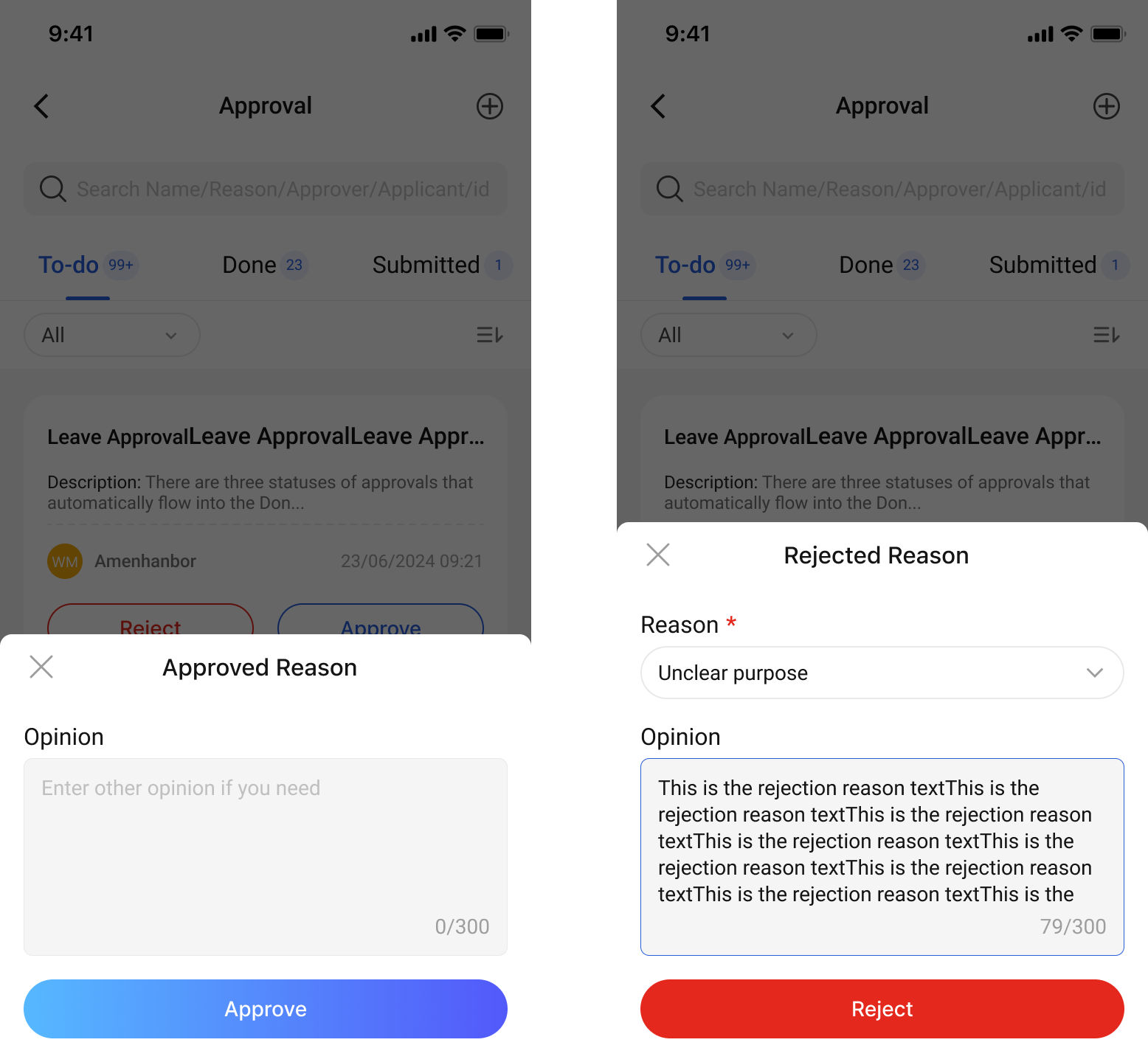
Click Approve or Reject on the approval, fill in the approval opinion and confirm, the node will be approved.
3.2 Approval of interactive operations
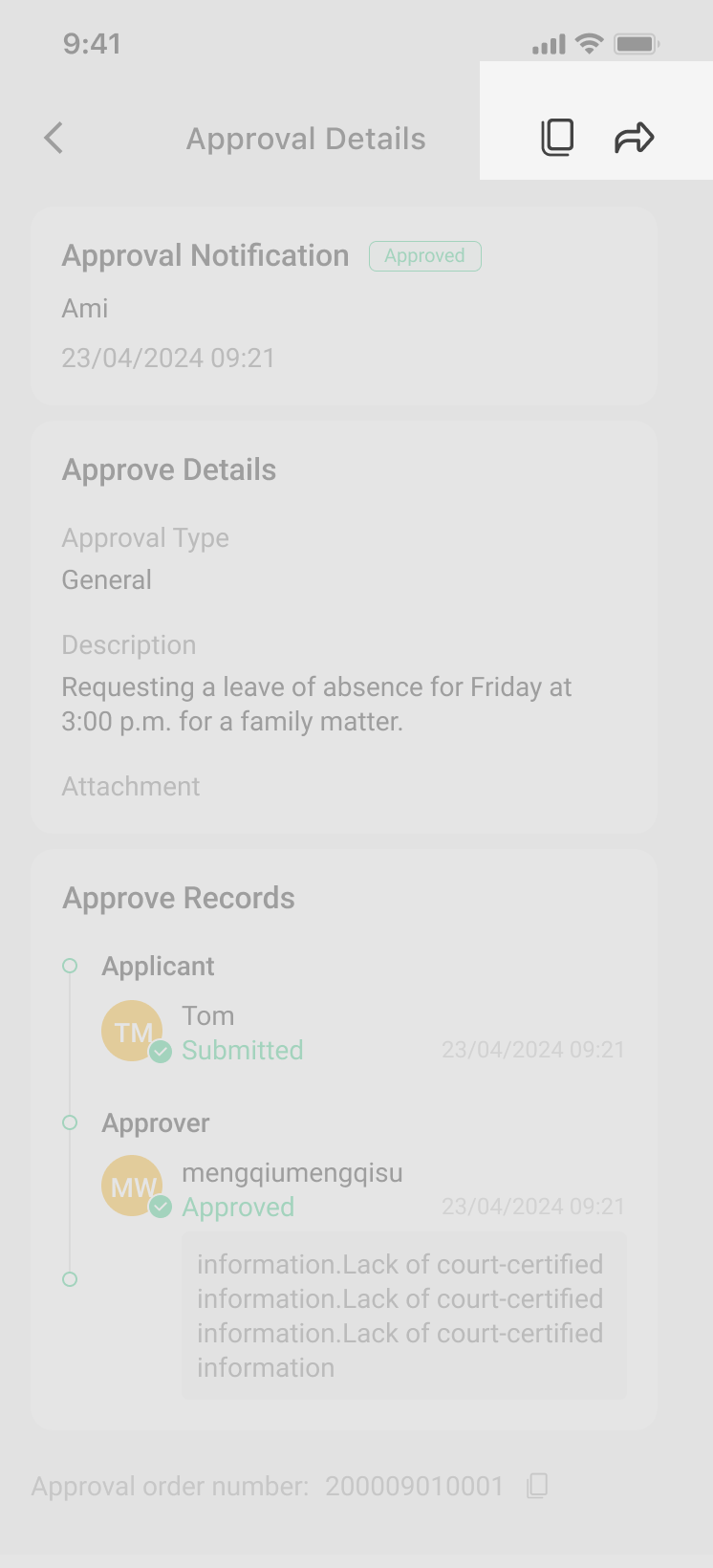
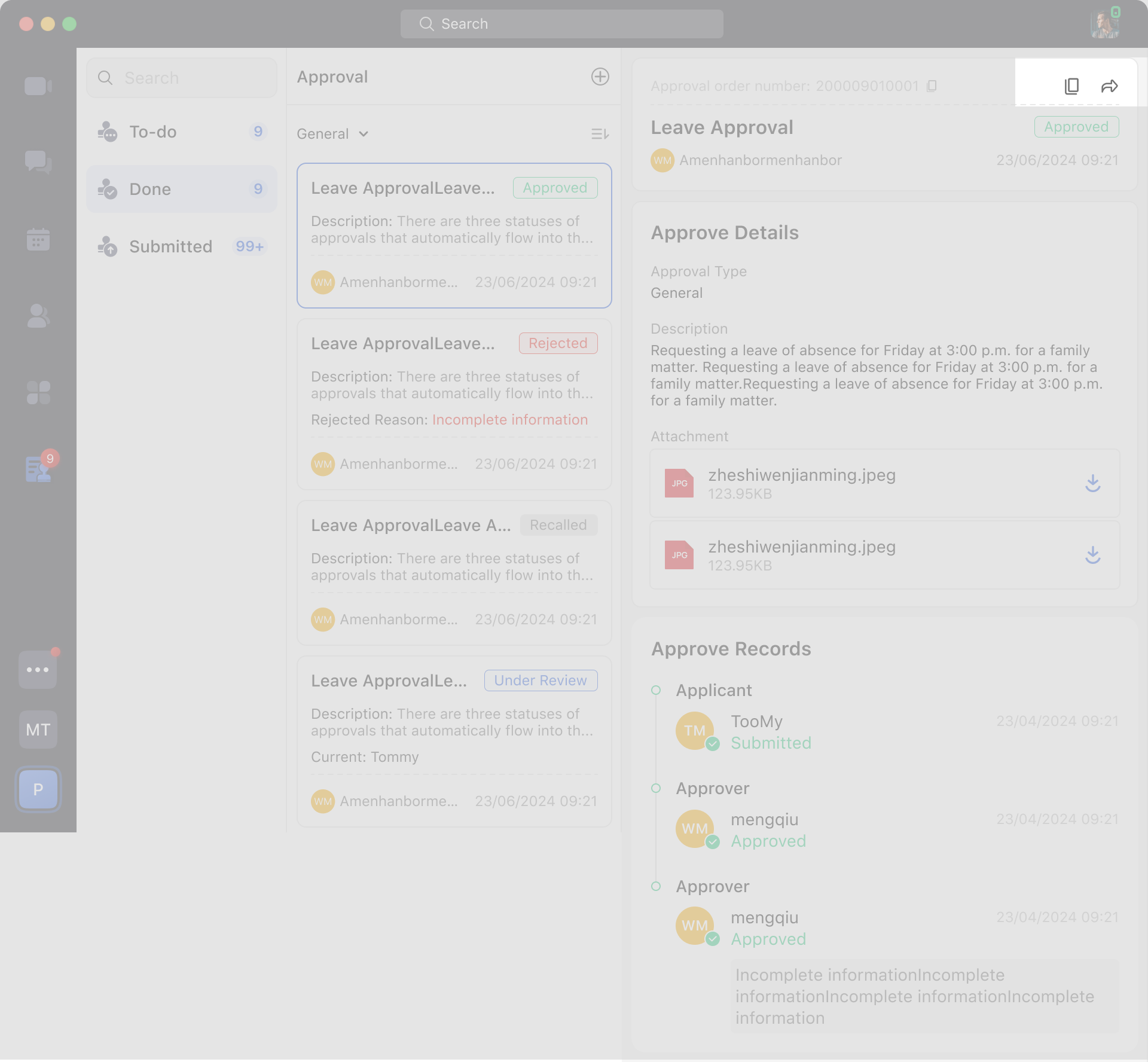
You can also share or copy approvals and other more interactive actions to efficiently advance the flow and communication of approvals.
1.Understand Approver
During the approval process, when an enterprise member submits an approval application, the approval application will be transferred to the corresponding approver according to the rules set by the enterprise, and the approver can process the approval application. Everyone can be an approver.
2.Approval processing entrance
You can enter the approval process through the following 2 entrances:
Entrance 1 Approval notification: When there is an approval that needs to be processed, the notification assistant will send you a message reminder. You can enter the process through the message card.
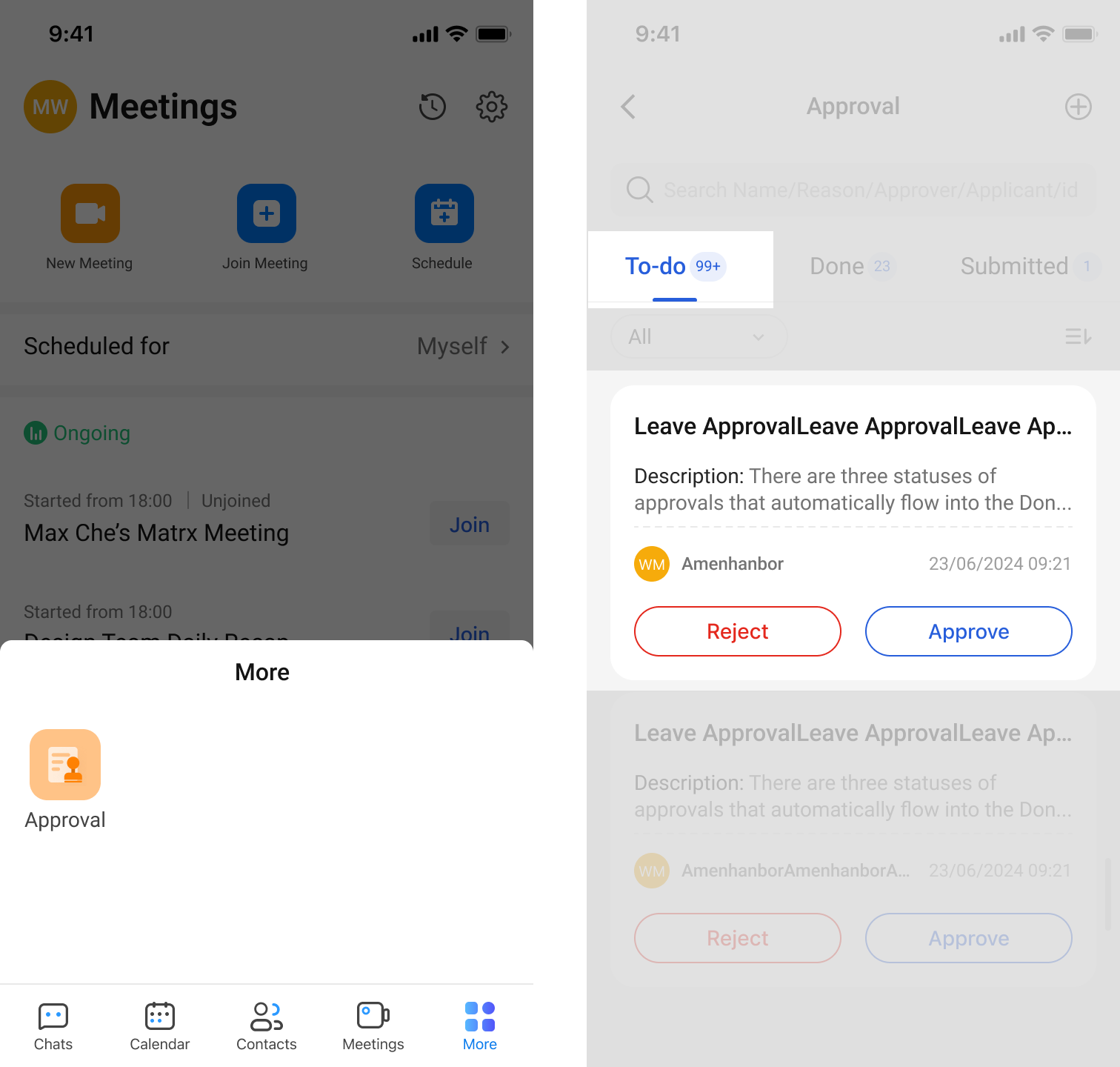
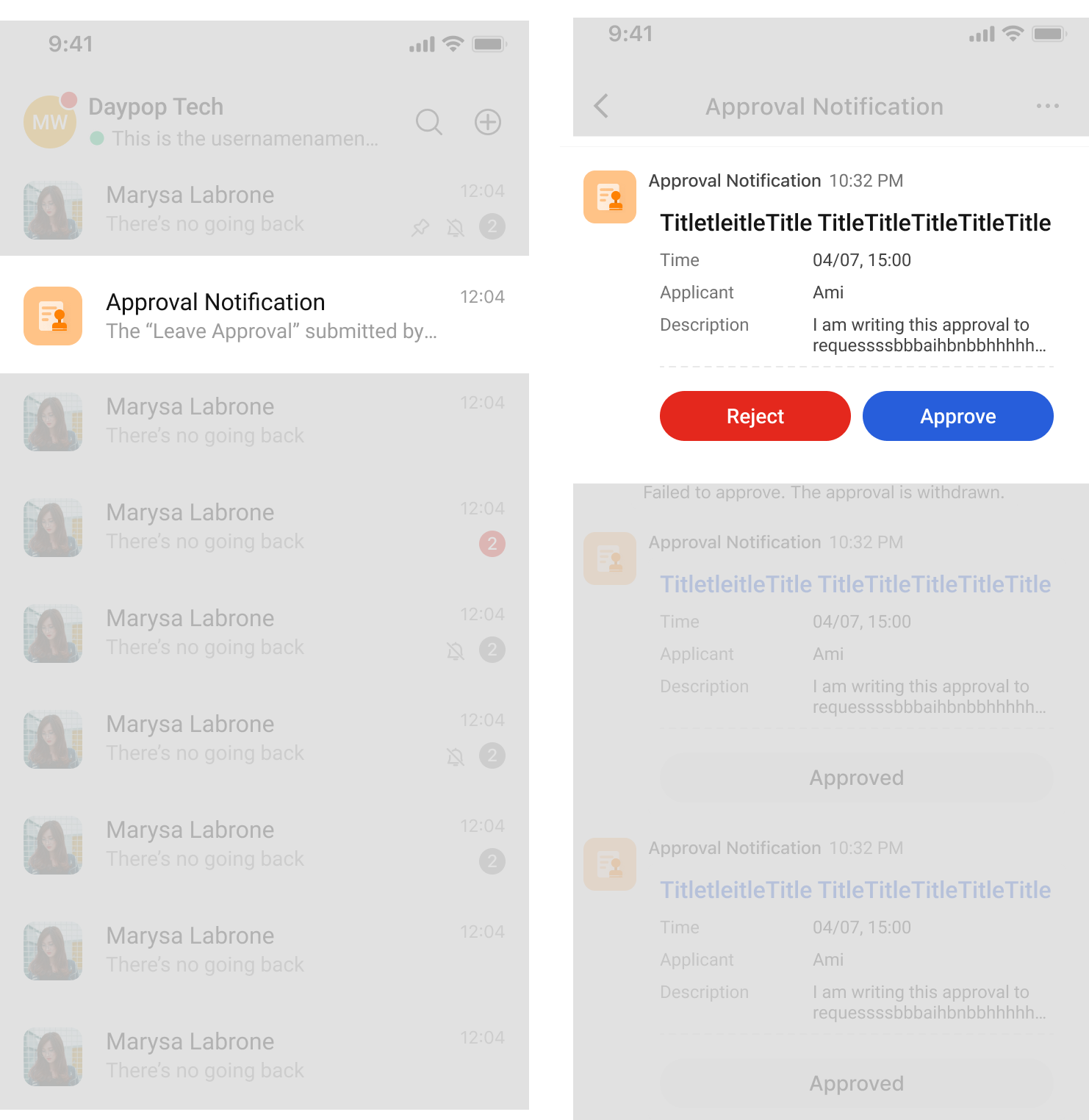 Entrance 2 Approval application: Enter the Approval application > Approval Center page, in the To-do list, you can view the approvals that need to be processed and process them.
3.Complete the Approval process in two steps
3.1 Handle Approval
Click Approve or Reject on the approval, fill in the approval opinion and confirm, the node will be approved.
3.2 Approval of interactive operations
You can also share or copy approvals and other more interactive actions to efficiently advance the flow and communication of approvals.