Change, update, or cancel subscription
If you have subscribed to the Business plan from Matrx official website, you can change or cancel your subscription at any time from the admin portal.
Prerequisites
- Business plan
- Super Admin or Admin access
Getting Started
- Sign in to the Matrx admin portal.
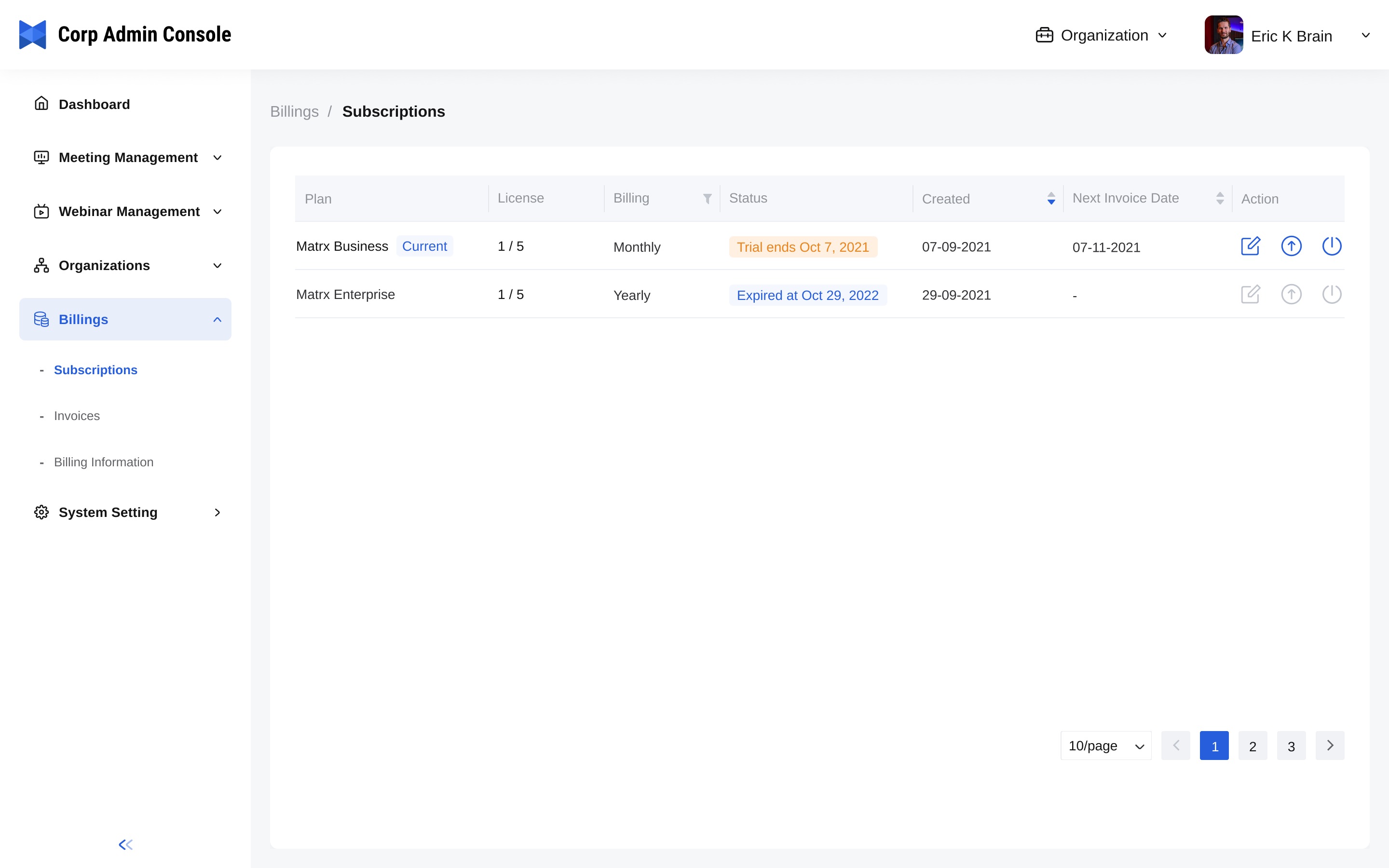
- In the navigation menu, unfold Billingsand click Subscriptions.
Change Subscription
By clicking the Edit button in the Action column, you can add or reduce licenses, or change the billing period from monthly to annually and vice versa.
- If you wish to buy more licenses, the change would take effect immediately after you paid for the added licenses and then you can add more users to your enterprise workspace.
- If you wish to reduce licenses, make sure the licenses that you wish to reduce are not used. The changed subscription would take effect on the next invoice date.
- If you wish to change the billing period from monthly to annually or vice versa, the changed subscription would take effect on the next invoice date.
Upgrade Plan
If you wish to upgrade your Business plan to the Enterprise plan, you can click the Upgrade button which is the second one in the Action column.
Cancel Subscription
If you wish to cancel your subscription, you can click the Unsubscribe button which is the last one in the Action column. The cancellation would take effect on the next invoice date.
If you’re using the Enterprise plan and wish to make changes, please contact our sales team directly.