Edit profile
You can change your profile photo and change your first name and last name to let your colleagues find you easily on Matrx.
Windows and macOS
- Click on the profile photo at the upper right corner and click on My Profile.
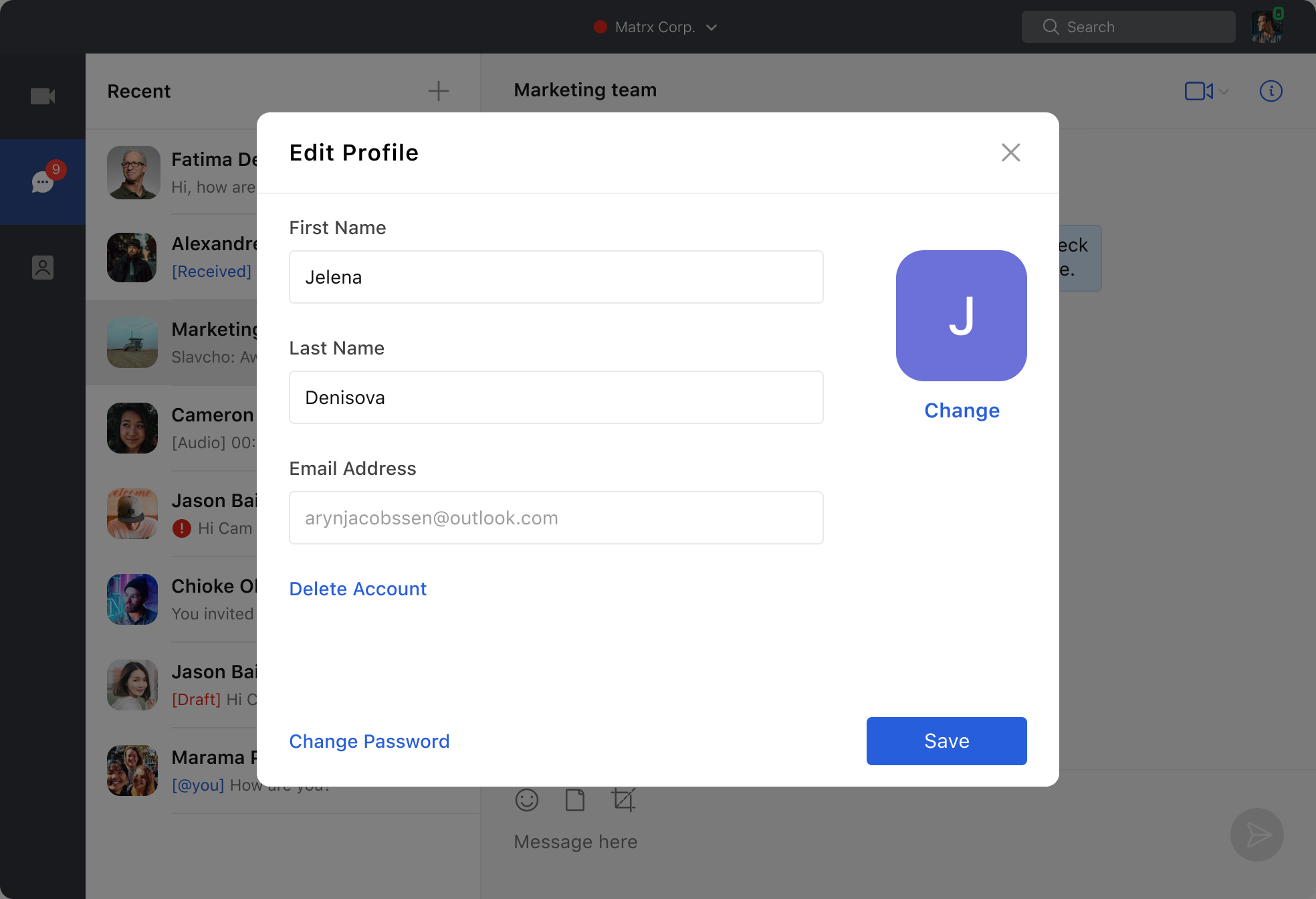
- Click on the Upload or Change button and upload a new photo to change the default or previously uploaded profile photo.

- You can also change your first name and last name from the Edit Profile page.
Android and iOS
- Tap the Settings button at the lower right corner.
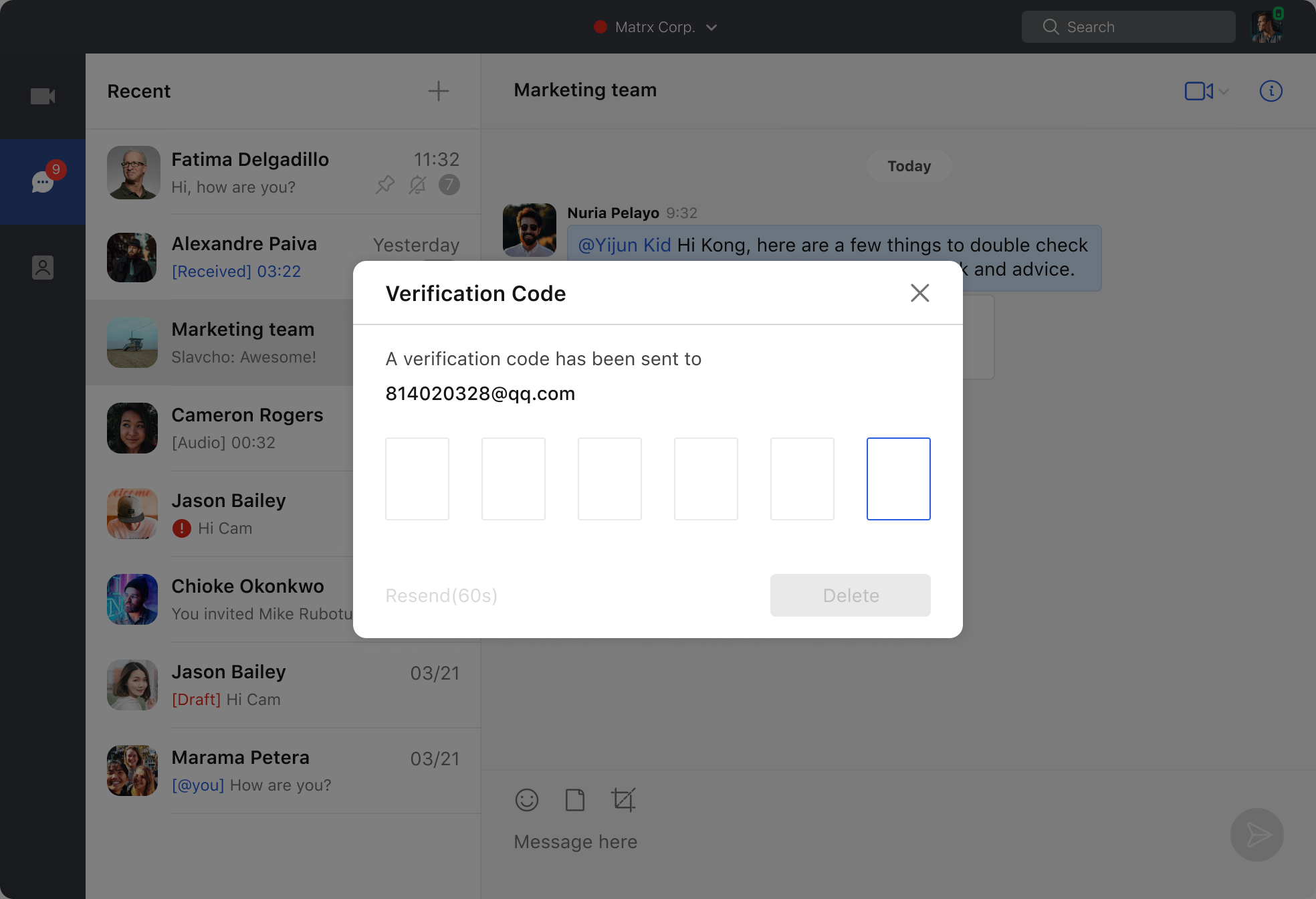
- Tap your username to enter the My Profile page.
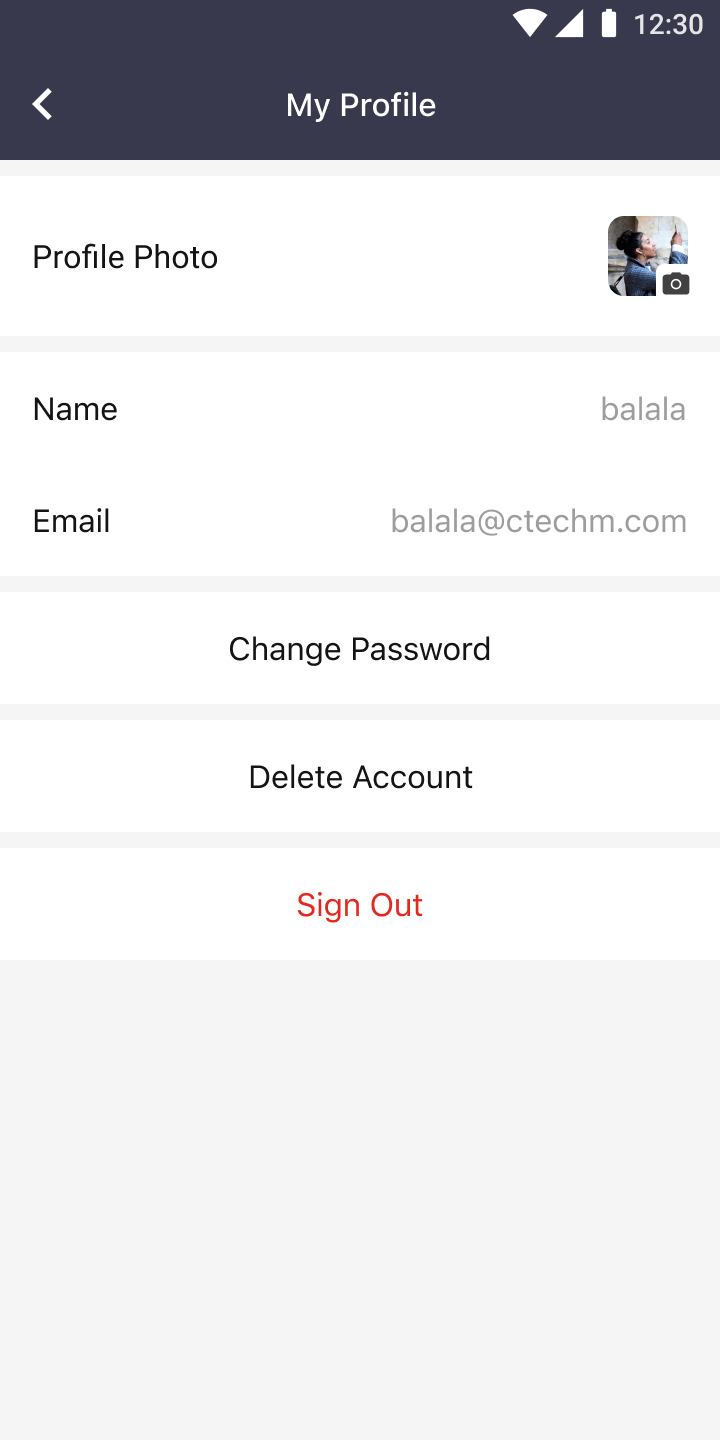
3. Tap "Profile Photo" or "Name" to change your profile photo or name.